
API Overview
ShadowMap exposes a small, deliberately scoped REST API for pulling assessment data into your own systems — SIEM/SOAR pipelines, BI tools (Qlik, Power BI, Tableau), GRC platforms, and custom automation. The API serves the same scored data you see in the dashboard, in machine-readable JSON or XML, so you can feed continuous attack-surface and vendor-risk signals into the tooling your team already uses.
Overview
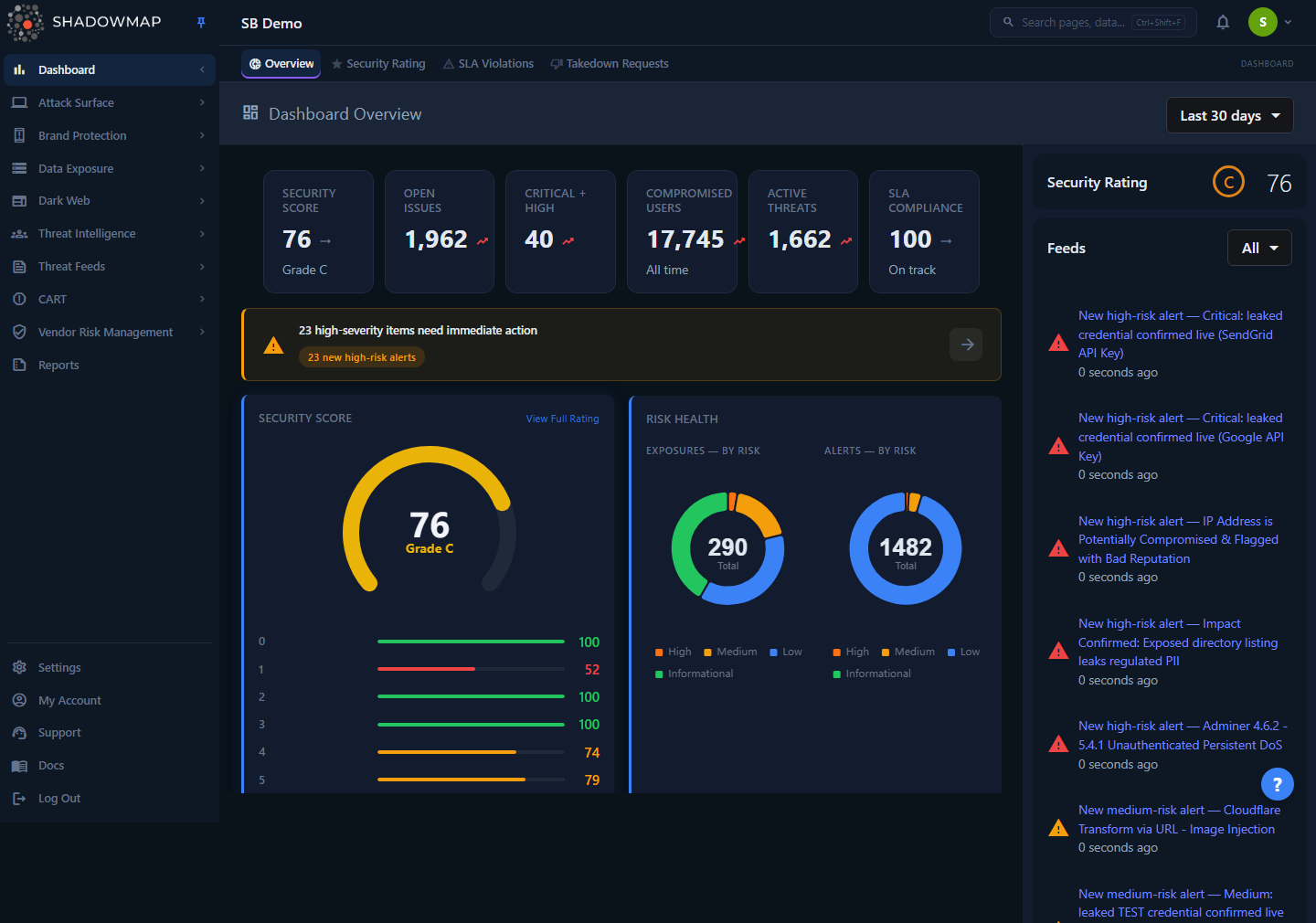
The API returns the same scored, multi-tenant data that powers the dashboard — there is no separate API console screen; tokens and access are provisioned by ShadowMap support.
The API is intentionally narrow. Rather than mirroring every dashboard module, it currently exposes a health check and the full Vendor Risk Management export — the highest-value dataset for downstream automation, because it carries per-vendor letter grades, numeric risk scores across eight scoring categories, and high/medium/low finding counts. Additional endpoints are added on request.
Three properties define how the API behaves and are worth understanding before you integrate:
- Token-based, read-only. Every request authenticates with a bearer token scoped to a single company (tenant). Tokens are issued with a read-only ability — there are no write/mutation endpoints.
- Fail-closed IP allowlisting. A token alone is not enough. The calling IP must also be on your account's allowlist. If no IPs are configured, every request is rejected.
- Per-token rate limiting. Each token gets its own request budget (5 requests/minute), independent of other tokens on the same account.
How it works
These are the mechanics you cannot infer from a curl response, and the details that determine whether your integration succeeds or silently fails.
Base URL and versioning
All endpoints live under a single host with a version prefix:
https://app.shadowmap.com/api/v1The /v1 prefix versions the contract. If your account is hosted in a dedicated or regional zone, substitute your tenant's dashboard hostname for app.shadowmap.com — the path structure is identical.
Authentication — bearer tokens
The API uses Laravel Sanctum personal access tokens. You pass the token as a bearer credential on every request:
curl -H "Authorization: Bearer {token}" \
     https://app.shadowmap.com/api/v1/health
Key facts about tokens:
- A token is bound to one user, and therefore one company. All data the token can read is automatically scoped to that company — there is no
company_idparameter, and a token can never see another tenant's data. - Tokens are issued with the
api:readability. Endpoints that require this scope reject any token without it (403). There is currently no write scope. - The plaintext token is shown exactly once, at creation. It is stored only as a hash, so it cannot be retrieved later — if it is lost, revoke it and issue a new one.
- Tokens do not expire on a timer. They remain valid until explicitly revoked.
Token provisioning is operator-managed
There is no self-service UI for generating API tokens in the dashboard today. Tokens are created, listed, and revoked by ShadowMap operators using a CLI tool (php artisan api:token …), and each creation/revocation is recorded in the audit log. To get a token, raise a request through Contact Support identifying the user it should belong to and a label (for example, "SIEM Integration"). Treat the token like a password.
IP allowlisting — mandatory and fail-closed
Authentication is two-factor by design: a valid token and an allowlisted source IP. This is enforced before your request reaches any endpoint logic.
- The allowlist is per company. Each entry is an exact IPv4/IPv6 address, or an IPv4 address with a CIDR mask (for example
203.0.113.0/24) to permit a subnet. - It is fail-closed: if your account has no allowlist entries, all API requests return
403— a token by itself grants nothing. You must register at least one source IP before the API will respond. - The real client IP is resolved from Cloudflare's
CF-Connecting-IPheader (which cannot be spoofed by the client), falling back to the proxiedX-Forwarded-Forchain. Configure the allowlist with your public egress IP, not an internal/NAT address.
Get your egress IP right
If you call the API from a cloud function, container, or VPN, the source IP your provider presents to the internet is what must be allowlisted — not the private address of the host. Verify it from the same network path before opening a support request, and allowlist a CIDR range if your egress IP is dynamic.
IPv6 entries are supported as exact matches; CIDR subnet matching currently applies to IPv4 only.
Rate limiting
Each token has its own rate-limit bucket, so one integration cannot starve another:
| Limit | Scope | On exceed |
|---|---|---|
| 5 requests / minute | Per token | 429 Too Many Requests |
When you exceed the limit, the response body is the standard error envelope with "message": "Rate limit exceeded. Maximum 5 requests per minute.". This is a deliberate low ceiling for controlled, scheduled access — the API is built for periodic batch pulls (for example, a nightly BI load), not high-frequency polling. Design your client to fetch on a schedule and cache, rather than polling in a loop.
Access logging
Every authenticated API call is recorded server-side: the company, token, user, source IP, HTTP method, endpoint, status code, response time, and user agent. This audit trail supports abuse detection and usage review. A logging failure never breaks your request — the response is returned regardless.
Response format negotiation
Endpoints that return data support JSON (default) and XML. You select the format two ways, with the query parameter taking precedence:
?format=jsonor?format=xmlon the URL.- An
Accept: application/xmlrequest header (used only when no?format=is given and JSON is not also accepted).
XML is provided for SIEM/SOAR and GRC platforms that ingest XML natively. JSON is recommended for everything else.
Endpoints
| Method | Path | Scope | Purpose |
|---|---|---|---|
GET | /api/v1/health | Any valid token | Connectivity and auth check. Returns ok with a timestamp. |
GET | /api/v1/vendor-risk-management/vendors | api:read | Full Vendor Risk Management export — all vendors with scores, ratings, and finding counts. |
Health check
Use this to verify your token, IP allowlist, and network path before wiring up a real integration.
curl -H "Authorization: Bearer {token}" \
https://app.shadowmap.com/api/v1/health{
"type": "success",
"status": "ok",
"timestamp": "2026-06-21T09:30:00+00:00"
}A 200 here confirms two things at once: the token is valid and your source IP is allowlisted. Note that /health does not enforce the api:read ability, so it will not catch a token that lacks the scope the vendors endpoint requires.
Vendor Risk Management export
Returns one row per vendor record for your company — the same dataset as the dashboard's Excel export, flattened for programmatic consumption.
# JSON (default)
curl -H "Authorization: Bearer {token}" \
     https://app.shadowmap.com/api/v1/vendor-risk-management/vendors

# XML
curl -H "Authorization: Bearer {token}" \
     "https://app.shadowmap.com/api/v1/vendor-risk-management/vendors?format=xml"
The response is a flat array of vendor objects (not wrapped in a data envelope), so it streams directly into BI table loaders. Each object includes:
| Field group | Fields | Notes |
|---|---|---|
| Identity | type, name, initials, scan_date, score_date, tags, custom_tags | type is current (latest assessment) or historical (prior snapshots, listed first). scan_date is the authoritative scan start time, or null if the vendor has not been scanned yet. score_date is when the vendor's security rating was calculated — reported separately because score freshness can differ from scan freshness; null if the vendor has not been scored yet. |
| Overall | overall_security_rating, overall_risk_score | Letter grade A–F plus the numeric 0–100 score. |
| Per-category ratings | alerts_*, brand_protection_*, data_leaks_*, dark_web_*, email_and_dns_*, encryption_and_certificates_*, application_security_*, vulnerability_management_* | A _rating (letter) and _score/_risk_score (numeric) for each of the eight scoring categories. |
| Finding counts | {category}_high, {category}_medium, {category}_low | High/medium/low counts for the four finding-bearing categories (alerts, brand protection, data leaks, dark web). |
Letter grades are derived from the numeric score on the standard band: A = 90–100, B = 80–89, C = 70–79, D = 60–69, F = below 60. This is the same banding used everywhere else in ShadowMap — see Security Rating Algorithm.
Vendors assessed under the older four-category model return null for the four newer categories rather than omitting them, so the column set stays stable across your dataset.
Optional query parameters
You can narrow or order the export with query parameters:
| Parameter | Values | Default | Effect |
|---|---|---|---|
format | json, xml | json | Response content type. |
priority | High, Medium, Low | — | Filter to vendors of a given priority. |
tag | string (≤ 255 chars) | — | Filter by tag. |
min_score / max_score | 0–100 | 0 / 100 | Restrict to a risk-score range. |
sort_by | created_at, name, final_score, priority | created_at | Sort column (whitelisted). |
sort_dir | ASC, DESC | DESC | Sort direction. |
Snapshot-backed for consistency
For performance, the export is served from a snapshot that is refreshed nightly (around 01:00 UTC). A daily pull therefore sees a stable, point-in-time dataset rather than a value that shifts mid-scan. The same vendor scoring data is also browsable in the dashboard under Vendor Risk Management.
Response envelopes
Every error response carries type: "error" and a human-readable message. Always branch on the HTTP status code first, then read message for the specific reason.
Error (any failure — 4xx/5xx):
{
  "type": "error",
  "message": "API access denied. Your IP address is not in the allowlist."
}
The IP-allowlist and rate-limit errors return just type and message as shown above. The 401 authentication error and a 500 raised while building the vendors export additionally include a meta.timestamp field — so do not rely on meta always being present; key your handling on the status code and message.
Success varies by endpoint: the health check returns a type: success object; the vendors export returns a bare JSON array (or an XML document with <item> elements per vendor when format=xml). Always branch on the HTTP status code first, then parse the body.
Status codes
| Code | Meaning | Most common cause |
|---|---|---|
200 | Success | Request succeeded. |
401 | Unauthenticated | Missing, malformed, or revoked bearer token. |
403 | Forbidden | Source IP not allowlisted (or no allowlist configured), or token missing the api:read ability. |
429 | Too Many Requests | Exceeded 5 requests/minute for this token. |
500 | Server error | Unexpected failure building the response. |
Diagnosing a 403
A 403 is almost always the IP allowlist, not the token. Confirm the token works by checking that 401 is not returned, then verify your public egress IP is allowlisted (and that the allowlist is non-empty — an empty allowlist blocks everything).
Security headers
All API responses carry hardening headers (X-Frame-Options: SAMEORIGIN, X-Content-Type-Options: nosniff, a restrictive Referrer-Policy, and Permissions-Policy). These matter mainly for browser contexts; server-to-server clients can ignore them.
A note on ingest endpoints
You may see an /api/ingest/* path referenced. These are internal, server-to-server endpoints used by ShadowMap's own collection pipelines and authenticate with a shared secret (X-Ingest-Secret), not a bearer token. They are not part of the customer-facing API and are not available for external use.
Common questions
How do I get an API token? Tokens are provisioned by ShadowMap operators — there is no self-service generator in the dashboard yet. Open a request via Contact Support specifying the user the token should belong to and a descriptive label. The plaintext token is returned once, so capture it immediately.
Why am I getting 403 API access denied even though my token is valid? Your source IP is not on the allowlist, or your account has no allowlist entries at all (which fails closed and blocks every request). Allowlist your public egress IP — the address your network presents to the internet — not an internal/NAT address. A token alone never grants access.
Can one token read data for multiple companies? No. A token is bound to a single user and therefore a single company. All responses are automatically scoped to that company; there is no cross-tenant access and no company_id parameter.
Do tokens expire? Not on a timer — they stay valid until explicitly revoked. Revoke and reissue if a token is exposed, and rotate on your own schedule as good practice.
The rate limit is only 5 requests/minute. Is that enough? The API is designed for scheduled batch pulls (for example, a nightly BI load), not high-frequency polling. Fetch on a cadence and cache the result rather than polling in a loop. The limit is per token, so different integrations on the same account don't compete.
Can I write or modify data through the API? No. The API is read-only — tokens carry the api:read ability and there are no mutation endpoints.
What data is actually available today? A health check and the full Vendor Risk Management export (JSON/XML). The export carries per-vendor letter grades, numeric risk scores across eight categories, and high/medium/low finding counts. Additional endpoints are added on request.
Does the API support XML? Yes — append ?format=xml (or send Accept: application/xml). This is intended for SIEM/SOAR and GRC platforms that ingest XML natively; JSON is recommended otherwise.
Related
- Vendor Risk Management — the dashboard view of the same vendor scoring data the API exports.
- Security Rating Algorithm — how the numeric scores and
A–Fletter grades returned by the API are calculated. - Exports — manual JSON/CSV/Excel/PDF exports from within the dashboard, an alternative to the API for one-off pulls.
- Integrations — outbound integrations (SIEM, ticketing, chat) that push ShadowMap findings to other systems.
- Data Retention — how long the underlying data the API serves is retained.
- Contact Support — request API token provisioning and IP allowlist changes.