
Data Retention
How long ShadowMap holds onto each class of data, what gets purged automatically, and what persists for the life of your contract. This page is the reference for compliance reviews, data-handling questionnaires, and "why did that export link expire?" support questions.
Overview
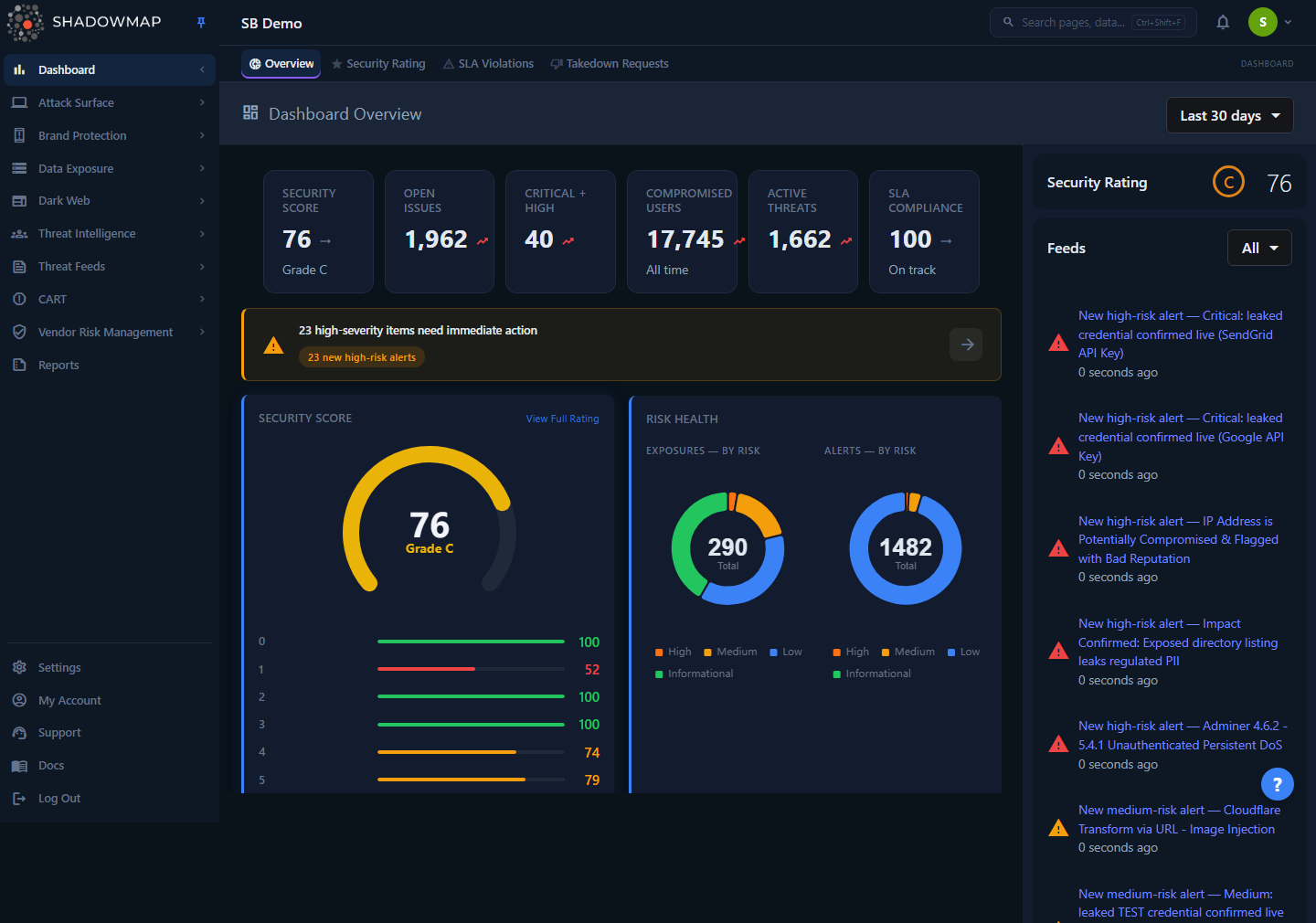
The dashboard surfaces live findings. Those findings are retained for the life of your subscription — it is the generated artifacts, logs, and sessions around them that have finite retention windows.
ShadowMap separates two very different things:
- Findings and asset data — the open ports, certificates, leaked credentials, phishing URLs, web applications, and every other detection that makes up your attack surface. This is the data you work with day to day. It is retained for the duration of your subscription and is not aged out or deleted by any scheduled job.
- Generated artifacts and operational data — export files, scheduled report PDFs/XLSX, login sessions, and various internal logs. These have bounded retention windows measured in hours, days, or months, because they are reproducible (you can re-run an export) or transient (a session).
There is no in-app "retention settings" screen. Retention is enforced by scheduled background jobs (Laravel console commands on a cron) that run per zone against your tenant database. The windows below are the production defaults.
How it works
Retention is not a single global TTL. Each data class is governed by its own scheduled cleanup job, and the jobs fall into three behavioral patterns you should understand:
1. Findings are managed by re-detection, not by age. A finding is not deleted because it got old. Instead, every scan re-evaluates whether the underlying issue is still present. If an open port closes or a certificate is replaced, the finding's status changes (it closes, or a superseded record is flagged as no longer current) — the row stays in the database for historical continuity, trend charts, and audit. This is why a closed finding can reopen on a later scan if the issue returns, and why your historical counts remain stable over time. Retention here means "kept indefinitely while you are a customer," not "deleted after N days."
2. Generated artifacts have bounded lifetimes. Anything ShadowMap produces on demand or on a schedule — CSV/XLSX exports, the CMDB Reconciliation workbook, the Attack Surface Inventory report — is written to object storage with a known retention window. Expired objects and their tracking rows are cleaned up. Because the source data is retained, an expired artifact can always be regenerated; only the file is gone, never the underlying finding.
3. Sessions and transient state are purged aggressively. Login sessions, account-switch sessions, and queued deletion work are short-lived by design and cleaned on tight cadences (minutes to hours) for security and table hygiene.
Per-zone enforcement
ShadowMap runs as isolated deployments ("zones"), each with its own tenant database. The cleanup jobs run independently in every zone, so the retention windows apply uniformly to your data regardless of which zone you are hosted in. Windows below are stated in the timezone the job is pinned to (UTC unless noted).
Retention windows by data type
Findings and asset data
| Data | Retention | Mechanism |
|---|---|---|
| Open ports, SSL certificates, web applications, subdomains, IPs, and all other scan findings | Life of subscription | Re-detected each scan; status changes on resolution, rows kept |
| Alerts | Life of subscription | Status-driven (open/closed/resolved); false-positive cleanup removes only flagged FP rows |
| Dark web, data-leak, and brand-monitoring findings (credentials, phishing, leaked files, etc.) | Life of subscription | Kept while active; reviewed/closed via status, not aged out |
| Audit logs and activity history | Life of subscription | No scheduled aging job — retained for the full account history |
TIP
Because findings persist by status rather than deletion, the right question for compliance is usually "how do I close or suppress this?" not "when will it be deleted?" See Status Workflow and Severity & Status.
Exports and reports
| Artifact | Retention | Notes |
|---|---|---|
| On-demand exports (CSV/XLSX from a module) | Purged ~1 hour after your next export starts | Each time you start a new export, ShadowMap removes your company's completed/failed export files older than 1 hour. The maintenance command that backstops this uses a 24-hour threshold to clear any leftover artifacts and their log entries. Re-run the export to get a fresh file. |
| CMDB Reconciliation workbooks | 13 months | Each archived workbook stores retention_until = generated_at + 13 months (a GRC commitment). Swept daily at 03:30 UTC. |
| Attack Surface Inventory reports (PDF/XLSX) | 13 months | Mirrors the CMDB window; the day's fresh artifact is never swept because cleanup runs after generation. |
| Scheduled report PDFs delivered by email | Delivered to you; stored copy is transient | The email and its content reach you; the stored copy is reproducible and is not kept long-term. |
Export links are short-lived
Download an export promptly. Export files are reproducible but not permanent — the underlying data is retained, so simply re-run the export from the module if a link has expired. See Exports.
Sessions and authentication
| Data | Retention | Notes |
|---|---|---|
| Web login session (idle) | 60 minutes of inactivity (default) | Standard session lifetime; activity refreshes it. |
| Sessions for disabled users/companies | Purged within ~15 minutes | A safety-net job terminates active sessions for any user or company that has been disabled, on top of the immediate purge at disable time. |
| Account-switch sessions (managed-access "switch into account") | 8-hour TTL | Removed when you switch back; an hourly job sweeps any that expired without an explicit switch-back. |
See Sessions and Security for the user-facing view of active sessions.
Internal and operational data
| Data | Retention | Notes |
|---|---|---|
| Stored secrets for known-bad code repositories | 30 days after last seen | Aged "trash" secrets for repos flagged bad are purged; the repository, its details, and keywords are kept for deduplication. See Code Repositories. |
| Integration delivery logs | 90 days | Every attempt to deliver a notification to a configured outbound integration is recorded. Rows older than 90 days are pruned in batches so the integration-health view (last delivery, recent success rate) stays fast; your integrations and their current health status are unaffected. See Integrations. |
| Superseded SSL certificate mappings | Retired, not deleted | When a certificate is renewed, the old mapping is flagged as no longer current (so the list stops showing a renewed cert as expired) rather than removed. See SSL Certificates. |
| Queued storage deletions | Drained hourly | A background worker batches object-storage deletions at a controlled rate; it does not affect findings, only orphaned stored objects. |
| Feature requests marked "done" | Archived, not deleted | Completed feature requests are archived (hidden from the active list) rather than removed, preserving the record. |
What happens when a subscription ends
When a contract reaches its completion date, the account is moved to a disabled state by a scheduled job. At that point:
- Active login sessions for the account's users are purged so no one can continue accessing the dashboard.
- The account's data is not deleted by the disable job itself — disabling flips the account type and revokes access; it does not run a purge of findings.
If you need a definitive statement on post-termination data deletion or a formal data-handling commitment for a vendor questionnaire, contact support — deletion beyond access revocation is handled as an operational/contractual step, not by an automatic in-app cron. See Contact Support.
Common questions
How long are my findings kept? For the life of your subscription. Findings are not aged out — they change status as issues are resolved or re-detected, but the historical record is retained so your trends, counts, and audit history stay intact.
Why did my export download link stop working? Export files are temporary. A per-company cleanup runs whenever you start a new export and removes your completed exports older than about an hour; a maintenance task clears any leftovers past 24 hours. The data behind the export is retained, so just re-run the export from the module to get a fresh file. See Exports.
How long are CMDB and Attack Surface reports archived? 13 months. Both the CMDB Reconciliation workbook and the Attack Surface Inventory report store a retention_until of 13 months from generation and are swept daily after that window, in line with the GRC retention commitment.
Why does a finding I closed come back? Closing is a status, not a deletion. If a later scan re-detects the underlying issue (a port reopens, a leaked credential reappears), the finding reopens. Suppress it or mark it a false positive if it should stay closed. See Status Workflow.
How long do my login sessions last? A web session expires after 60 minutes of inactivity by default. Account-switch sessions used by managed-access staff have an 8-hour cap. Sessions are terminated immediately if your account or company is disabled.
Do you delete my data when my contract ends? Ending a contract disables the account and purges active sessions so access stops. The account's findings are not removed by that automatic step. For a formal deletion timeline or data-handling attestation, contact support.
Is there a retention setting I can change in the dashboard? No. Retention windows are enforced by backend scheduled jobs and are uniform across the platform. If your organization has a specific retention requirement, raise it with support so it can be handled contractually.
Related
- Exports — how to generate exports and why the files are short-lived.
- Sessions — view and revoke your active login sessions.
- Security — session and authentication controls.
- Status Workflow — how findings move between open, closed, and resolved instead of being deleted.
- Severity & Status — the status model that governs finding lifecycle.
- Reports — scheduled reports and the artifacts subject to the 13-month archive window.
- CMDB Reconciliation — the source of the 13-month archived workbooks.
- Audit Logs — the retained record of account activity.
- Contact Support — for formal data-handling or deletion requests.