
Priority Subdomains
Priority Subdomains let you mark a curated set of hosts as business-critical. Once flagged, those hosts float to the top of dark web exposure queues so analysts triage your crown-jewel assets first instead of scrolling through every compromised host in alphabetical order.
Overview
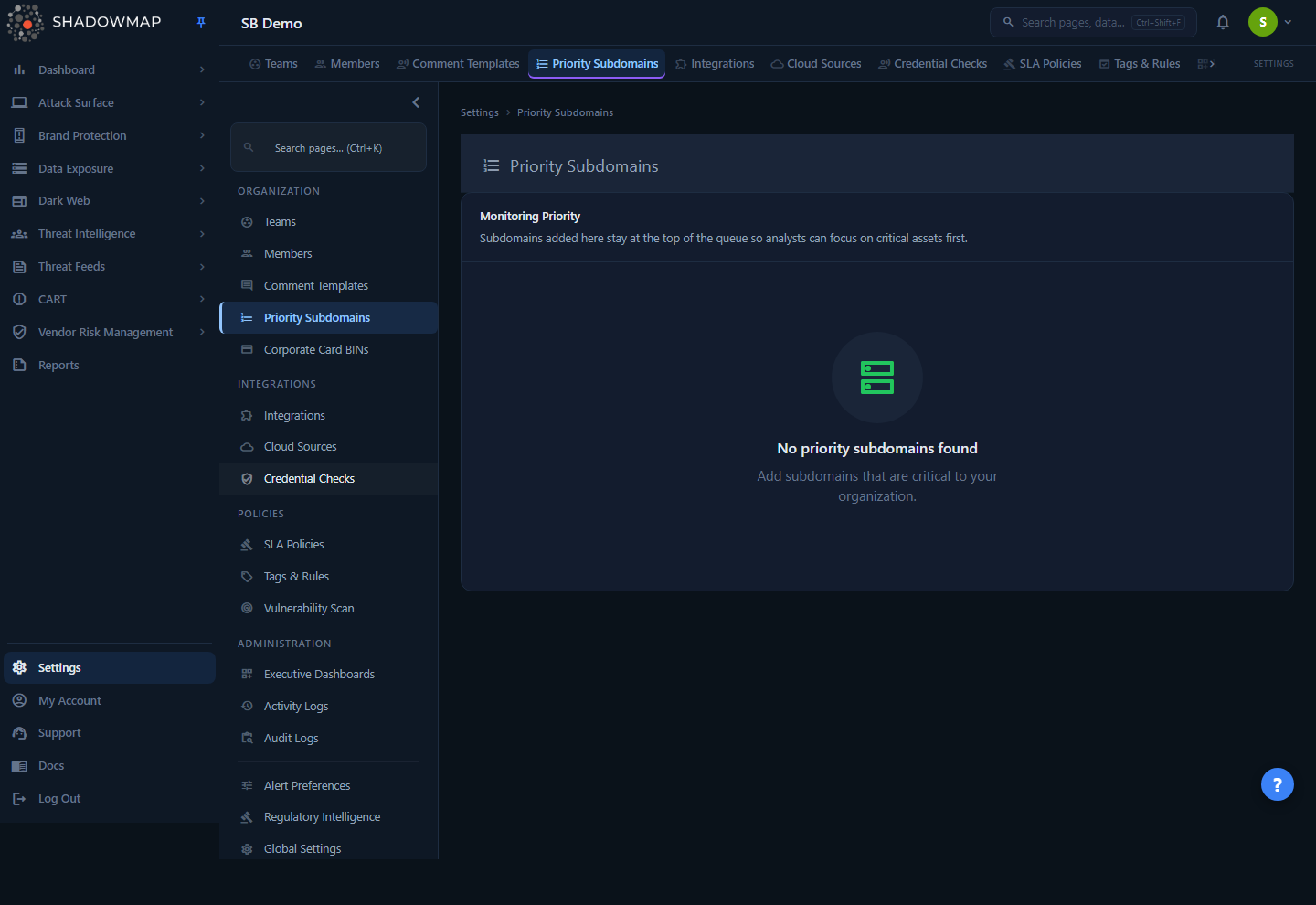
The page lives at Settings → Priority Subdomains. It is a single card titled Monitoring Priority that lists every host you have flagged, ordered by priority. Each row shows the host (subdomain or domain) and a delete control. When nothing is flagged yet, the page shows an empty state prompting you to "Add subdomains that are critical to your organization."
This is a configuration surface, not a findings surface. Nothing here represents a vulnerability or an exposure on its own — the list is a ranking input that changes the order in which findings are presented elsewhere in ShadowMap.
INFO
The feature was previously called Relevant Domains (/settings/relevant-domains). Old bookmarks to that path redirect here automatically. The underlying API and database table still carry the relevant-domains / relevant_domains naming.
How it works
This is the part you cannot infer from the UI: a priority subdomain is a sort key, not a filter or a scan target.
What a priority entry actually does
Each entry stores three things — the host (url), a priority level, and your company ID. When a dark web queue is rendered (most directly the Compromised Computers / Stealer Logs view), ShadowMap pulls your full priority list and re-sorts the result set so that any host appearing in the list is hoisted to the top. Hosts that are not on the list keep their natural order below the prioritized block.
The match is on the host value. A compromised-host row whose host equals a priority entry's url is pulled up; everything else sinks. So the list does not add, remove, or hide any findings — it only re-ranks what ShadowMap already discovered. If a critical host has no exposure, it simply will not appear in the queue at all; priority does not manufacture rows.
Priority levels and ordering
Entries carry one of four priority levels. The list (and any queue it influences) is ordered by this fixed precedence:
| Level | Order | Meaning |
|---|---|---|
| High | 1st | Most critical — surfaces first. |
| Medium | 2nd | Important, ranked below High. |
| Low | 3rd | Tracked, ranked below Medium. |
| Ignore | last | Deprioritized — pushed to the bottom of the priority block. |
The ordering is applied with a deterministic precedence of High → Medium → Low → Ignore. Entries are grouped by level in that order; hosts inside the same level are not ranked relative to one another. Ignore is not the same as deleting an entry: an ignored host is still on the list, just parked at the bottom of the prioritized group rather than removed entirely.
Scope and tenancy
- Per-company. The list is scoped to your organization (
company_id). Every read, save, update, and delete is filtered to your company, so one tenant can never see or modify another tenant's priority list. - Org-wide, not per-user. A priority entry is a setting for the whole account, not a personal preference. Anything you add or remove changes the queue ordering for every analyst in your organization.
- No scan impact. Flagging a host does not trigger a scan, change scan cadence, or expand scope. To control what gets scanned, use Scan Profiles; Priority Subdomains is purely a ranking layer on top of existing results.
TIP
Priority Subdomains answers "which of my known assets do I care about most when triaging dark web exposure?" — not "which assets should ShadowMap discover or scan?" Use it to keep production and customer-facing hosts at the top of the queue, and let bulk staging/test hosts settle below.
Understanding the list
| Element | What it shows |
|---|---|
| Host name | The subdomain or domain you flagged, rendered in monospace. |
| Delete (trash icon) | Removes the entry from the priority list. |
| Empty state | Shown when no hosts are flagged. Prompts you to add critical subdomains. |
| Loading state | A spinner while the list is fetched. |
| Error state | Shown when the list fails to load (a server error or timeout). Displays "Couldn't load your priority subdomains." alongside a Retry button. This is distinct from the empty state, so a failed fetch is never mistaken for "no hosts flagged." |
The list is already sorted for you by priority level (High first, Ignore last), so the top of the card is your highest-priority host.
Managing the list
Adding a priority subdomain
When you add an entry you provide the host and choose a priority level (High, Medium, Low, or Ignore). Both fields are required — the backend rejects a save with no URL ("Please enter Domain url.") or no priority level ("Please select priority level.").
- Open Settings → Priority Subdomains.
- Add the host you want to prioritize (for example, a customer-facing or production subdomain).
- Choose its priority level.
- Save. The host now appears in the list, positioned according to its level.
Removing a priority subdomain
Click the trash icon on a row. You'll be asked to confirm ("Remove this priority subdomain?"). On confirmation the entry is deleted and the row disappears immediately. If the removal fails, the row stays in place and a toast reports the error ("Failed to remove subdomain.").
Removing an entry restores that host to its natural ordering in any queue it influenced — it does not delete the host from your asset inventory or affect any findings. To keep the host on the list but stop it from floating to the top, set it to Ignore instead of deleting it.
Permissions
| Action | Permission |
|---|---|
| View the list (and fetch it) | settings.priority-subdomains:read |
| Add, edit, or remove entries | settings.priority-subdomains:write |
A user with read-only access can see the priority list but cannot change it. See Roles & Permissions and the RBAC Permissions reference for how these map to roles.
Where the ranking shows up
The most direct consumer of this list is the dark web exposure queue:
- Compromised Computers / Stealer Logs — hosts on your priority list are sorted to the top of the compromised-host listing so analysts review the credentials and sessions tied to your most important assets first.
Because the mechanism is a sort applied at render time, you can adjust priorities at any point and the next time the queue loads it reflects the new ordering — there is no reprocessing or backfill to wait for.
Common questions
Does adding a host here make ShadowMap scan it? No. Priority Subdomains never changes discovery or scanning. It only reorders results ShadowMap already has. To influence scanning, use Scan Profiles.
Will flagging a host create new findings or alerts? No. The list re-ranks existing findings; it does not generate, hide, or suppress any. If a flagged host has no exposure, it won't appear in a queue at all.
What's the difference between "Ignore" and deleting an entry? Deleting removes the host from the list entirely, so it falls back to its natural ordering. Setting it to Ignore keeps it on the list but parks it at the bottom of the prioritized block. Use Ignore when you want a record that a host is intentionally deprioritized.
Is this list per-user or shared? Shared. The list is scoped to your organization, so changes affect the queue ordering for everyone in your account.
A critical host isn't showing up in the queue even though I prioritized it. Why? Priority only ranks hosts that have exposure data. If ShadowMap has not found a compromised-host record for that host, there is nothing to rank — the host simply isn't in that queue. Confirm the asset is in scope and discovered via Subdomains or Domains.
Can another customer see or change my priority list? No. Every operation is scoped to your company ID, so the list is fully tenant-isolated.
Related
- Compromised Computers — the dark web queue most directly reordered by your priority list.
- Stealer Logs — credential and session exposure from infostealer logs, surfaced host-first using this ranking.
- Scan Profiles — controls what ShadowMap actually scans, as opposed to how results are ranked.
- Subdomains and Domains — the asset inventory the hosts you prioritize come from.
- Roles & Permissions and RBAC Permissions — who can view versus edit this list.