
Mobile Applications
ShadowMap monitors the Google Play Store and Apple App Store to identify mobile applications associated with your organization, including legitimate apps published by your teams and potentially unauthorized or impersonating applications.
Overview
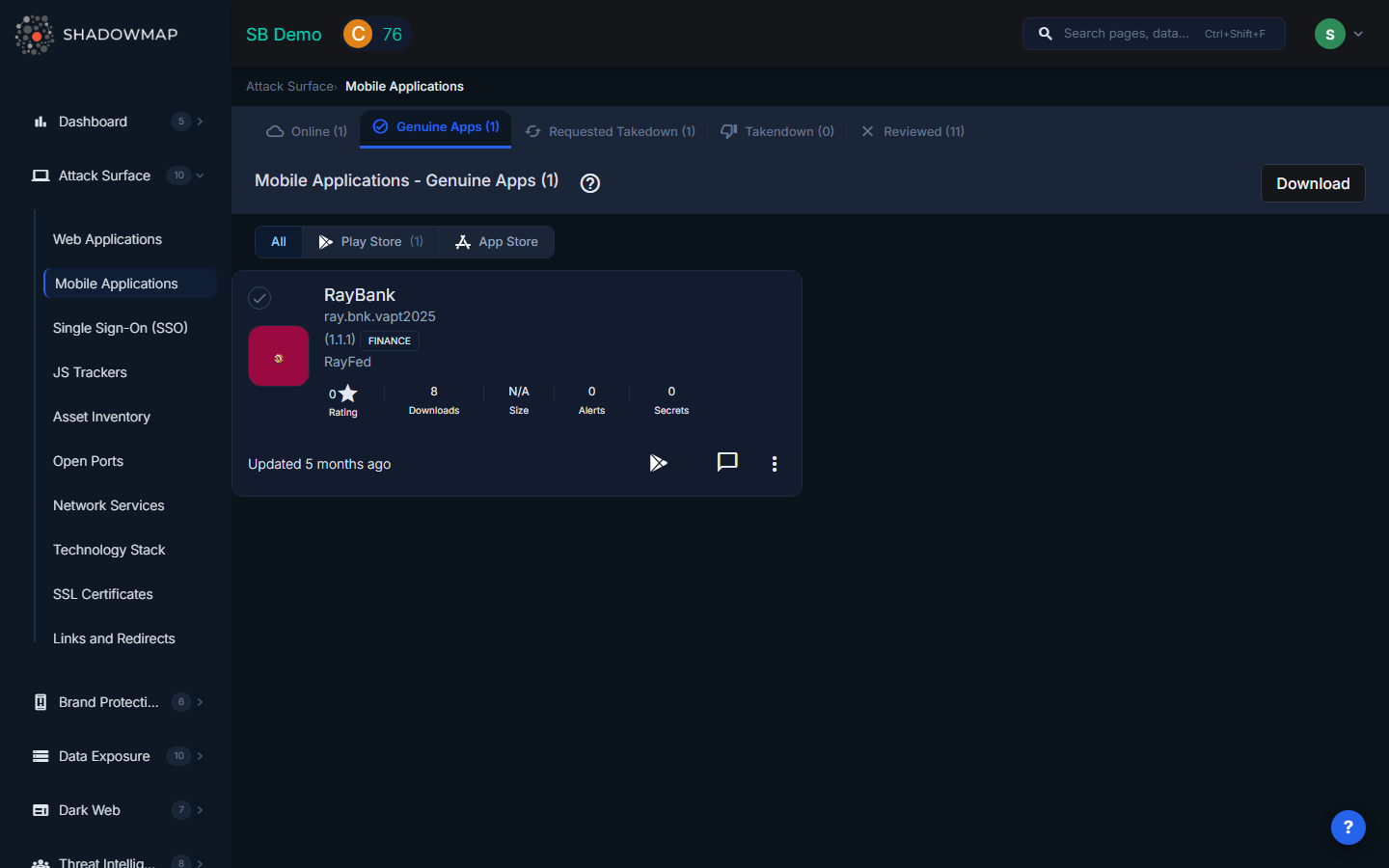
The Mobile Applications view uses a card-based grid layout. Each card displays the app's icon, title, developer name, store (Play Store or App Store), version, score, and last update date. You can filter by store using the segmented control at the top of the page (All / Play Store / App Store), with counts per store shown inline.
Tabs
Applications are organized by triage status across five tabs:
| Tab | Description |
|---|---|
| Online | Applications found on app stores that mention your brand or associated keywords. These are newly discovered and have not yet been classified. Start your review here. |
| Genuine Apps | Applications that your team has confirmed as legitimate, published by your organization. Moving an app here removes it from the review queue. |
| Reviewed | Applications that have been reviewed and determined to not require further action -- for example, a third-party app that legitimately references your brand. |
| Requested Takedown | Applications for which a takedown request has been submitted to the app store. ShadowMap tracks the takedown lifecycle. |
| Takendown | Applications that have been successfully removed from the app store following a takedown request. |
Each tab shows its count in the tab label, so you can see the review backlog at a glance.
App Card Details
Each app card in the grid shows:
| Field | Description |
|---|---|
| App Icon | The application icon as shown on the app store. |
| Title | Application name as listed on the store, linking to the store listing. |
| Developer | Developer or publisher name with a link to the developer's store page. |
| Store | Google Play Store or Apple App Store, indicated by icon. |
| Version | Current version number of the app. |
| Score | User rating or security score associated with the application. |
| Last Updated | When the app was last updated on the store, displayed as relative time. |
Application Detail View
Click any app card to open the detail view. The detail view shows full app metadata at the top, followed by tabbed analysis sections:
Detail Tabs
| Tab | Description |
|---|---|
| Alerts | Security alerts associated with this application, with a count displayed in the tab label. |
| Secrets | Leaked credentials or API keys found within the application binary, with count. |
| Possible Secrets | Strings that may be secrets but require manual verification, with count. |
| Static Analysis | Deep analysis of the application binary (see below). |
| Extracts | Data extracted from the application binary (see below). |
Static Analysis
The Static Analysis tab provides four sub-analyses of the application binary:
- Certificate Analysis -- Examines the signing certificate used to publish the app. Reveals the certificate issuer, validity period, fingerprints, and whether the certificate matches known organizational certificates.
- Manifest Analysis -- Parses the Android manifest (or iOS equivalent) to identify declared permissions, exported activities, content providers, broadcast receivers, and intent filters. Highlights dangerous configurations such as exported activities without permission guards.
- File Analysis -- Inspects files bundled within the application package. Identifies configuration files, embedded databases, hardcoded URLs, and potential sensitive data stored in the binary.
- Permission Analysis -- Lists all permissions requested by the application, categorized by risk level (normal, dangerous, signature). Highlights permissions that are unusual for the stated app category.
Extracts
The Extracts tab shows data items extracted from the application binary during analysis:
| Extract Type | What It Reveals |
|---|---|
| Firebase URLs | Firebase database URLs embedded in the app. Misconfigured Firebase instances are a common source of data leaks. |
| Domains | Domain names referenced in the application code or configuration files. |
| Subdomains | Specific subdomains found in the app, which may reveal internal infrastructure. |
| URLs | Full URLs hardcoded in the application, including API endpoints, webhook URLs, and third-party service endpoints. |
| IPs | IP addresses referenced in the application, potentially revealing backend server locations. |
| Trackers | Third-party analytics and tracking SDKs embedded in the application (e.g., Firebase Analytics, Mixpanel, Adjust). |
Actions
| Action | Description |
|---|---|
| Move to Genuine | Confirm the app as legitimately belonging to your organization. |
| Move to Online | Return an app to the Online tab for re-review. |
| Move to Reviewed | Mark the app as reviewed and not requiring further action. |
| Request Takedown | Submit a takedown request for a fraudulent or unauthorized application. |
| Download / Export | Export application details as Excel. |
| Comment | Add investigation notes to the application record. |
Bulk Operations
Select multiple apps using the selection controls to perform bulk actions:
- Move selected apps to Online, Genuine, or Reviewed status in a single operation.
- Select All to apply actions across the entire current tab.
Related
- Fake Applications -- Applications identified as potentially fraudulent brand impersonation
- Web Applications -- Web services discovered across your domains
- Attack Surface Overview -- How ShadowMap discovers your external assets