
Cyber News
The Cyber News feed aggregates the latest cybersecurity news and stories related to ransomware groups, threat actors, vulnerabilities, exploits, data breaches, and data leaks -- all summarized by AI for rapid consumption.
Overview
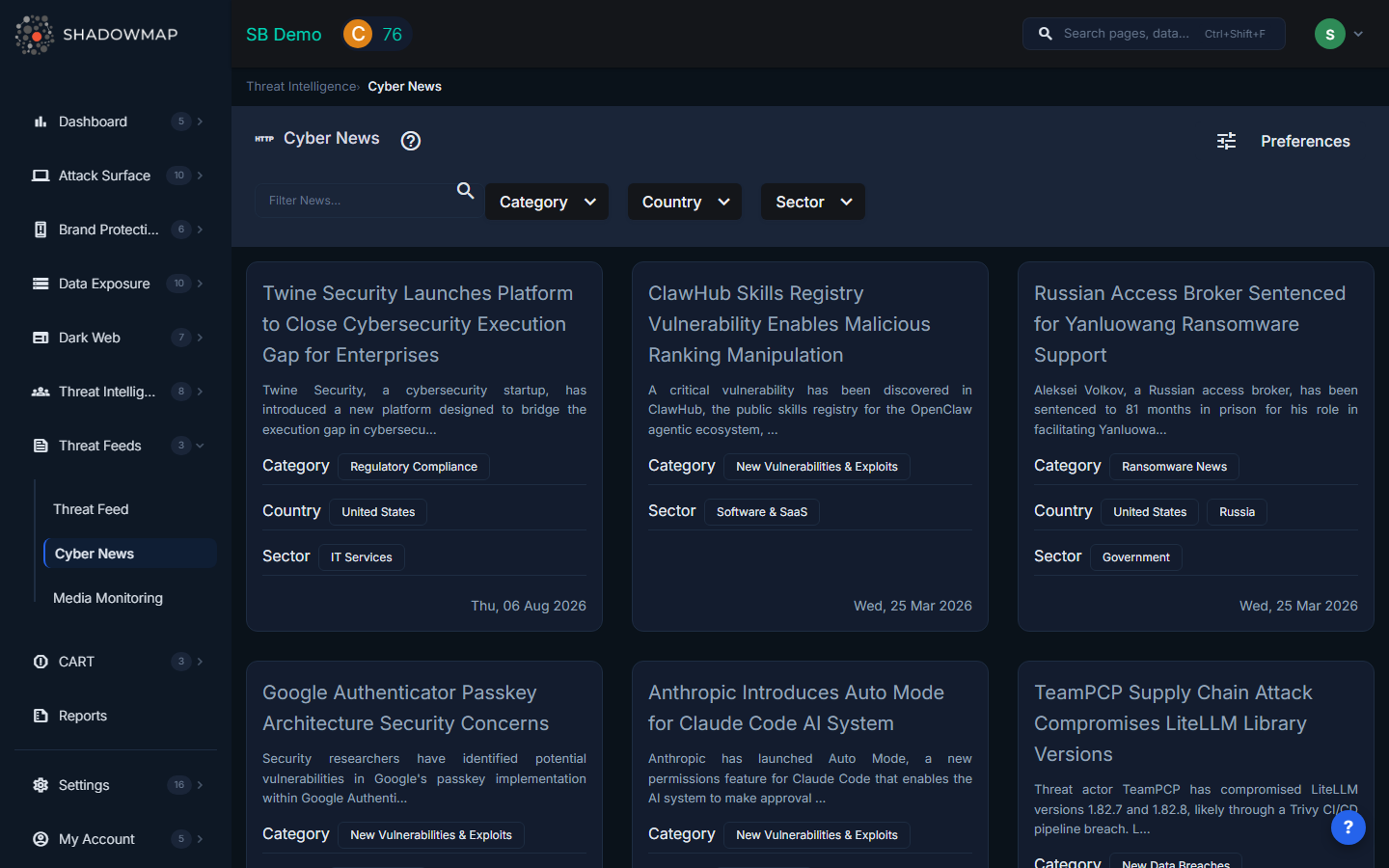
The page displays news items as clickable cards in a responsive grid. Each card shows the article title, an AI-generated short summary, and metadata chips for category, country, and sector. Clicking a card opens the full article details in a new tab.
Card Data
Each news card displays:
| Field | Description |
|---|---|
| Title | Article headline |
| Summary | AI-generated short summary of the article content |
| Category | News classification (e.g., Ransomware, Vulnerability Disclosure, Breach Notification) |
| Country | Relevant country or countries mentioned in the article, shown as chips |
| Sector | Industry sectors referenced in the article (Financial, Healthcare, Energy, etc.) |
| Published Date | When the article was published, shown in human-readable format |
Filtering
The filter bar supports:
| Filter | Description |
|---|---|
| Search | Free-text search across article titles and content |
| Category | Filter by news category |
| Country | Filter by country relevance |
| Sector | Filter by industry sector |
Filters use AND logic when combined. Default filters can be configured by admins under Settings > News Alert Settings.
How Cyber News Differs from Threat Feed
| Cyber News | Threat Feed | |
|---|---|---|
| Focus | Published news articles and industry reports | Raw threat intelligence from dark web, forums, and OSINT sources |
| Sources | News outlets, vendor advisories, analyst blogs | Dark web marketplaces, paste sites, leak forums, security researchers |
| Detail level | High-level summaries with links to full articles | Granular data including threat actor attribution, victim details, and screenshots |
| Use case | Stay informed on industry trends and breaking events | Investigate specific threats, actors, and campaigns relevant to your organization |
Admin Preferences
Administrators can access feed preferences via the Preferences button in the header. This allows setting default filters for category, country, and sector that pre-populate when users load the page, ensuring the most relevant news appears first.
Recommended Workflow
- Check daily for breaking news that could affect your organization's industry or region
- Use sector filters to focus on your industry verticals
- Click cards to read full article details in a new tab
- Cross-reference with the Threat Feed for deeper intelligence on referenced threat actors or campaigns
- Share relevant articles with stakeholders for security awareness