
Indicators of Compromise (IOCs)
ShadowMap provides a searchable database of indicators of compromise sourced from MISP (Malware Information Sharing Platform). With over 48.8 million MISP attributes indexed, this module enables threat hunting, detection engineering, and bulk IOC validation against your organization's security telemetry.
Overview
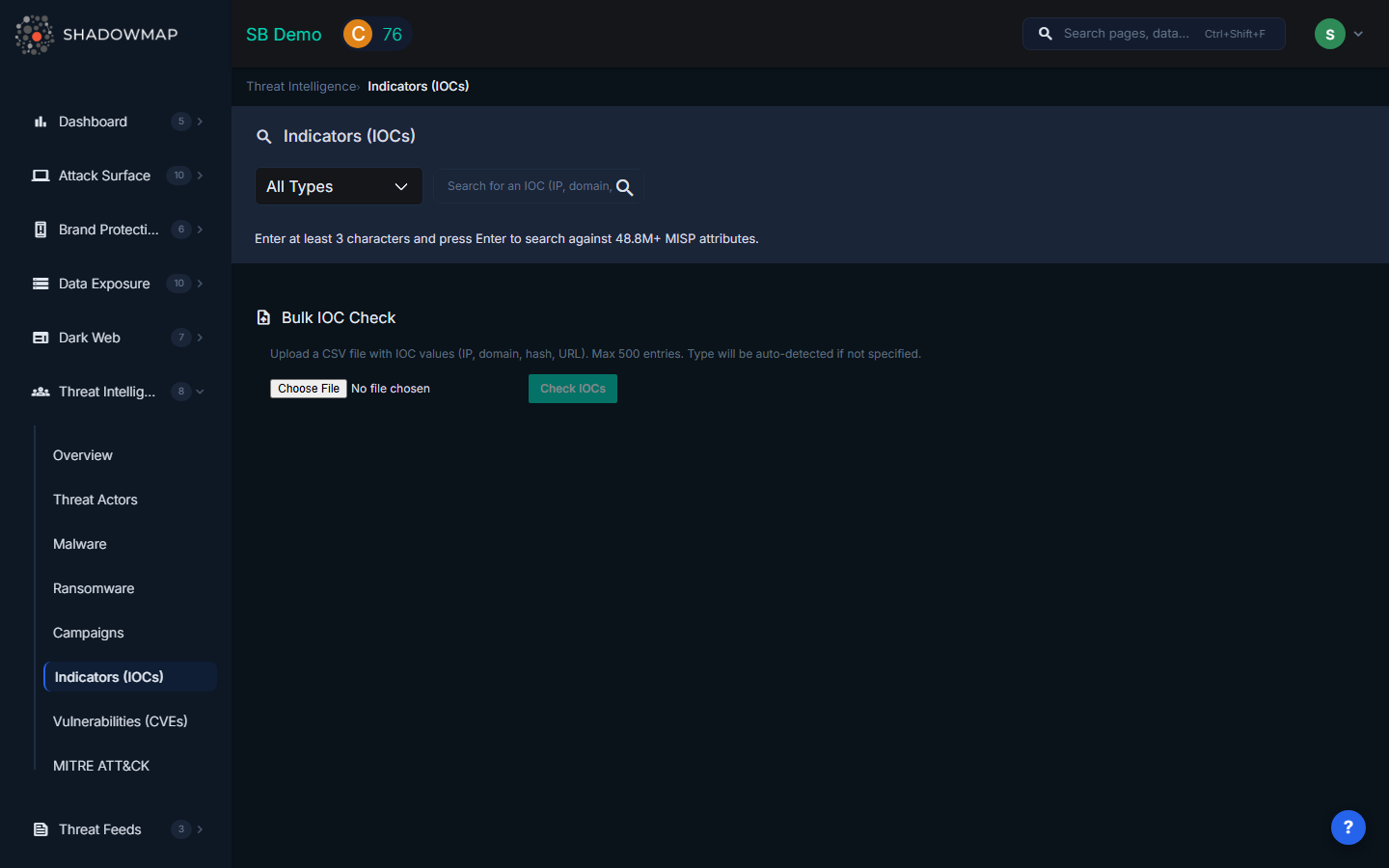
IOC Search
Supported IOC Types
Use the type dropdown to filter by specific indicator categories:
| Type | Description | Example |
|---|---|---|
| IP-dst | Destination IP address (C2 servers, malicious infrastructure) | 203.0.113.42 |
| IP-src | Source IP address (attack origin) | 198.51.100.15 |
| Domain | Malicious or suspicious domain name | evil-example.com |
| Hostname | Fully qualified hostname | c2.evil-example.com |
| URL | Full URL (payload delivery, phishing, exploit kits) | https://evil-example.com/payload.exe |
| MD5 | MD5 hash of a malicious file | d41d8cd98f00b204e9800998ecf8427e |
| SHA256 | SHA256 hash of a malicious file | e3b0c44298fc1c149afbf4c8996fb924... |
| SHA1 | SHA1 hash of a malicious file | da39a3ee5e6b4b0d3255bfef95601890afd80709 |
| Email address used in phishing or spam campaigns | [email protected] |
How to Search
- Select an IOC type from the dropdown (or leave as "All Types" for cross-type search)
- Enter at least 3 characters in the search field
- Press Enter or click the search icon
- Results appear as a table showing matched MISP attributes
Search Results
| Column | Description |
|---|---|
| # | Result number |
| Type | IOC type (ip-dst, domain, md5, etc.) |
| Category | MISP category (Network activity, Payload delivery, External analysis, etc.) |
| Value | The full IOC value (hover for tooltip on long values) |
| Event ID | MISP event ID linking this IOC to a threat intelligence event |
| Comment | Analyst comment or context note from the MISP event |
| Timestamp | When this attribute was added to MISP |
Bulk IOC Check
For validating multiple indicators at once, use the Bulk IOC Check feature below the search results.
How It Works
- Prepare a CSV file containing IOC values (one per row). Supported formats: IP addresses, domains, hashes, URLs, and email addresses.
- Upload the file using the file picker (accepts
.csvand.txtfiles, maximum 500 entries). - Click "Check IOCs" to run the bulk validation against the MISP database.
- Review results showing matched vs. unmatched indicators.
Bulk Results
| Column | Description |
|---|---|
| IOC Value | The indicator from your uploaded file |
| Type | Auto-detected or specified IOC type |
| Matches | Number of MISP events containing this indicator (highlighted in red if matches found) |
| MISP Event Details | Category, value, and event ID for each match (shows up to 3 matches per IOC) |
The summary bar shows total checked, total matched, and total unmatched counts.
How to Use IOCs
| Use Case | Actions |
|---|---|
| SIEM Search | Query firewall, proxy, DNS, and endpoint logs for matched IOCs. A hit indicates exposure to the associated threat. |
| Blocking | Add IPs/domains to firewall blocklists, URLs to proxy deny lists, file hashes to EDR blocklists. Automate via SOAR. |
| Detection Rules | Build Sigma rules, Snort/Suricata signatures, YARA rules, or EDR policies from IOC patterns. |
| Feed Enrichment | Link IOCs to actors and campaigns via event ID. Pivot from matched events to discover related indicators. |
Related
- Threat Actors -- IOCs linked to specific actor profiles
- Malware -- IOCs associated with malware families
- Campaigns -- IOCs from specific attack campaigns
- Vulnerabilities (CVEs) -- CVEs referenced in MISP events
- Threat Intelligence Overview -- Summary dashboard