
Benchmarking
Benchmarking puts your Security Rating in context. Instead of looking at a single number in isolation, you compare your overall score and every category score side by side against up to five peer organizations that ShadowMap also scans — ranked highest to lowest, with your own organization highlighted in the list.
Overview
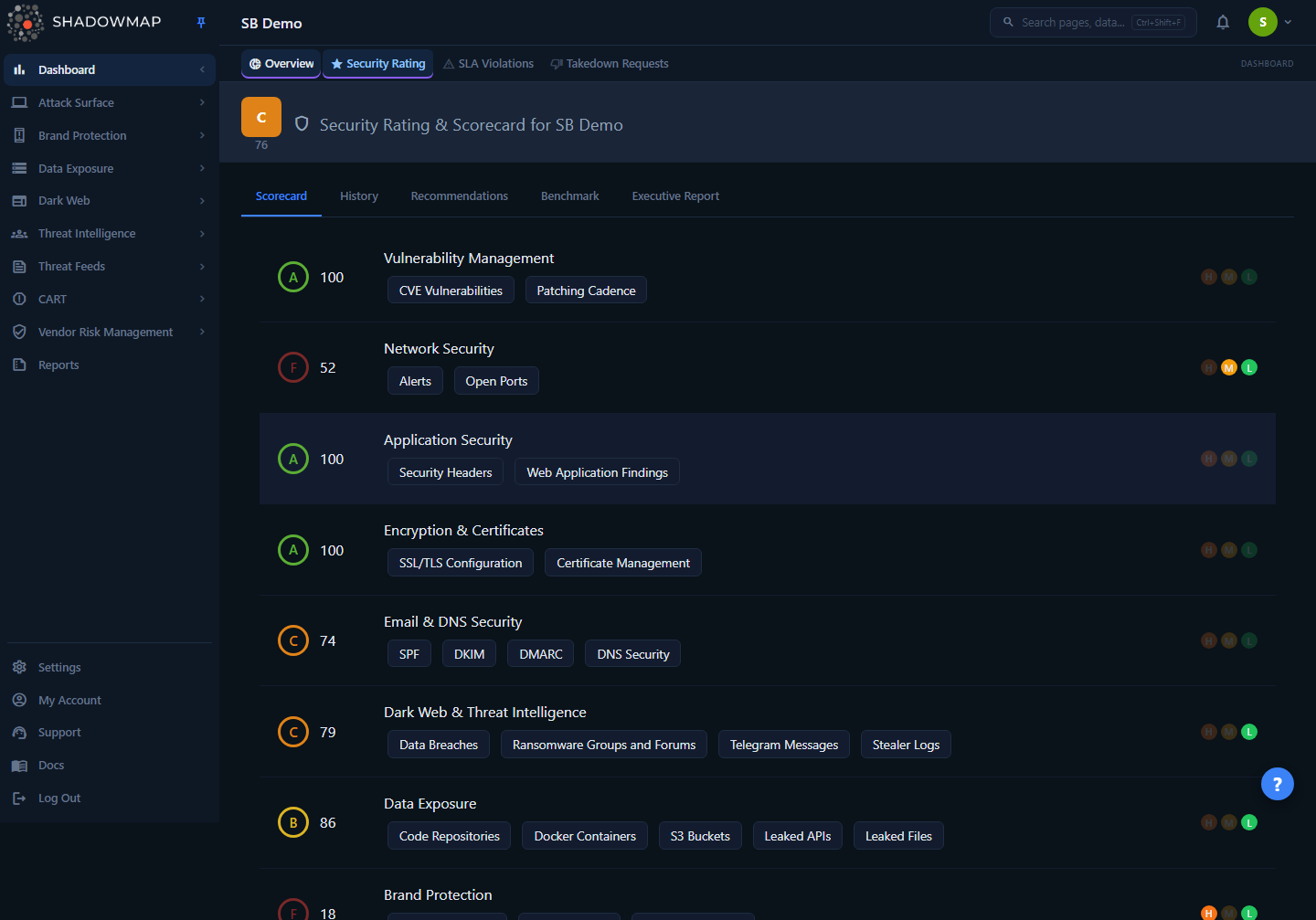
Benchmarking is the Benchmark tab on the Security Rating page (Dashboard → Security Rating). The tab sits alongside Scorecard, History, Recommendations, and Executive Report. It renders a ranked list of organizations — each shown as a card with its rank, letter grade, numeric score, and name — followed by a per-category breakdown bar for each peer. The card for your own organization is highlighted with a distinct background so you can immediately see where you fall in the ranking.
Above the list is a toolbar: the peers you have already added appear as removable chips, and an Add Customer selector lets you add more (up to five) or request a new one.
Not available for vendor accounts
The Benchmark tab is hidden for users with the vendor role. Benchmarking is a customer-facing comparison feature; vendor-scoped accounts see the other Security Rating tabs but not this one.
How it works
The most important thing to understand about benchmarking is that every score on this tab — yours and every peer's — is produced by the exact same scoring engine. ShadowMap does not estimate or model peer scores. It only benchmarks you against organizations it already scans, so each peer score is a real, current Security Rating computed from that organization's externally observable attack surface.
Where peer scores come from. When you add a peer, ShadowMap records a benchmark-type mapping between your account and that organization. The benchmark view then pulls each mapped organization's latest security rating directly from the ratings data:
- Overall score (
final_score) is the rounded average of that organization's per-category scores — the same average that drives its own Security Rating header. - Category breakdown is the same per-category score set used on the Scorecard tab, rendered here as a labelled bar (0–100) per category so you can compare category-by-category, not just on the headline number.
Grades follow the same bands as the rest of the rating. The letter grade shown on each card is derived from the numeric score using the standard Security Rating bands:
| Score | Grade |
|---|---|
| 90–100 | A |
| 80–89 | B |
| 70–79 | C |
| 60–69 | D |
| Below 60 | F |
Ranking. Cards are ordered by overall score, highest first, and numbered #1, #2, and so on. Your position in that ranking is the headline takeaway — it tells you how many of your selected peers currently rate higher or lower than you on external posture.
Update cadence. Peer scores recalculate on the same schedule as your own rating — automatically whenever new scan results arrive, typically every few hours. The benchmark always reflects the most recent rating available for each organization; there is no separate "benchmark snapshot" that can drift from the live scores.
Externally visible posture only
Benchmark scores reflect what is observable from the outside — the same external attack surface signals that produce any ShadowMap rating. A peer with a high score may still have internal security weaknesses that external scanning cannot see, and a peer with a low score may have strong internal controls that simply do not surface externally. Treat benchmarks as one decision input, not a definitive verdict on a peer's security program.
Adding a peer
- Open Dashboard → Security Rating and select the Benchmark tab.
- Open the Add Customer selector in the toolbar.
- Pick the organization you want to compare against from the dropdown. ShadowMap adds it with a default priority of High.
- The new peer is scored and inserted into the ranking; its card appears in score order and a removable chip is added to the toolbar.
You can compare against up to five organizations at once. If you have not added any peers yet, the tab shows a prompt: "Add customers to generate benchmark insights. You can add up to five customers."
Only organizations ShadowMap already scans appear in the selector. If the peer you want is not listed, request it (see below).
Requesting a peer that isn't listed
If an organization isn't available in the Add Customer dropdown, ShadowMap isn't yet scanning it — so there is no rating to benchmark against. Use the Request Customer card to ask ShadowMap to begin scanning it:
- In the Add Customer selector, choose Request Customer. The request panel slides open on the right.
- Set a Priority — High, Medium, or Low.
- Enter the Customer name (required).
- Optionally add Tags, comma-separated (for example
competitor,supply-chain,industry-peer). - Click Request.
The request goes to the ShadowMap backend team. Once the organization's initial scan completes, its rating becomes available and you can add it as a benchmark peer.
Removing a peer
Click the × on a peer's chip in the toolbar to remove it from your benchmark list. The chip shows a brief loading state, then the peer's card disappears from the ranking. Removing a peer only affects your benchmark view — it does not stop ShadowMap from scanning that organization.
Reading the benchmark
Each peer card carries four pieces of information; read them together rather than fixating on the headline score.
| Element | What it tells you |
|---|---|
Rank (#1, #2, …) | Position in the score-ordered list. Your own rank is the at-a-glance summary of how you compare. |
| Grade + score | The peer's overall Security Rating (letter grade and 0–100 number), same bands as your own rating. |
| Name | The peer organization. Your own card is highlighted with a distinct background. |
| Category breakdown | A bar per category (0–100, colored by grade). This is where the real comparison lives. |
When you look at the breakdown rows, focus on:
- Categories where you trail peers. A category bar that sits well below your peers' bars is a relative weakness — a strong candidate for prioritized remediation, because comparable organizations are doing better on the same externally visible signals.
- Categories where you lead. Bars where you sit above your peers are relative strengths worth protecting and worth citing when you report on the program.
- Peers with similar overall scores. Organizations scoring close to you are your most meaningful comparisons. A peer 30 points higher may operate in a very different risk environment, so a single-category gap against them is less actionable than a gap against a close peer.
Use cases
Board and executive reporting. A raw score means more with context. "We score 78" lands harder as "We score 78, ahead of three of our five tracked peers, but trailing the leader by nine points." Pair the benchmark with the Executive Report tab on the Security Rating page to give leadership both the number and where it sits.
Vendor and third-party risk. Because benchmark scores use the same engine as the rest of the platform, you can line up vendors and competitors on the same scale. Use it alongside Vendor Risk Management to inform vendor selection and ongoing monitoring — a vendor that consistently trails its own peers on external posture is a flag worth raising.
Justifying security investment. A per-category gap is a budget argument. "Our Application Security category is 15 points below the peer average" is far more persuasive to a finance owner than an abstract request to "improve appsec." The category breakdown gives you exactly these comparisons.
Common questions
How often are peer scores updated? Peer scores recalculate on the same cadence as your own rating — automatically whenever new scan results arrive, typically every few hours. The benchmark always shows the most recent rating ShadowMap holds for each organization.
Can a peer see that I'm benchmarking against them? No. Your benchmark selections are private to your account. Adding an organization as a peer does not notify them and does not change anything in their view.
Why does a peer's score look different from what I'd expect? ShadowMap scores from externally visible data only. An organization may have strong internal controls that never surface in external scanning, or it may carry external exposures its own team hasn't noticed. The benchmark reflects external posture, not the full internal picture — interpret an unexpected score as "this is what their attack surface looks like from outside," not as a complete security assessment.
The organization I want to benchmark against isn't in the list. What do I do? That means ShadowMap isn't scanning it yet, so there's no rating to compare. Use the Request Customer card to ask the ShadowMap team to add it. Once its first scan completes, it becomes selectable as a peer.
Why can't I see the Benchmark tab? The tab is hidden for vendor-role accounts. If you expect to see it and don't, confirm your account is a customer account rather than a vendor-scoped login.
My score dropped relative to a peer — did I get worse, or did they improve? Either is possible, and the benchmark alone can't tell you which. Check the History tab on the Security Rating page to see whether your own trend moved; if your line is flat but your rank slipped, the peer improved.
Related
- Security Rating & Scorecard — the main rating page that hosts the Benchmark tab; start here for your own categories and overall score.
- How the Score is Calculated — the methodology behind every number on this tab, yours and your peers'.
- Improving Your Score — turn a category you trail peers on into a prioritized remediation plan.
- Vendor Risk Management — uses the same scoring engine; benchmark peers and tracked vendors share the underlying ratings model.