
Cloud IAM
ShadowMap extracts the cloud identity primitives baked into your public applications — the Cognito identity pools, Amplify configs, Firebase database URLs, GCP service-account keys, and Azure SAS tokens that ship inside mobile and web app bundles — then live-probes each one anonymously to tell you which are actually exploitable without any credentials. It answers a question you can't answer from inside your cloud accounts: which of my client-side identity primitives are reachable — and privilege-granting — to an unauthenticated attacker on the internet?
Overview
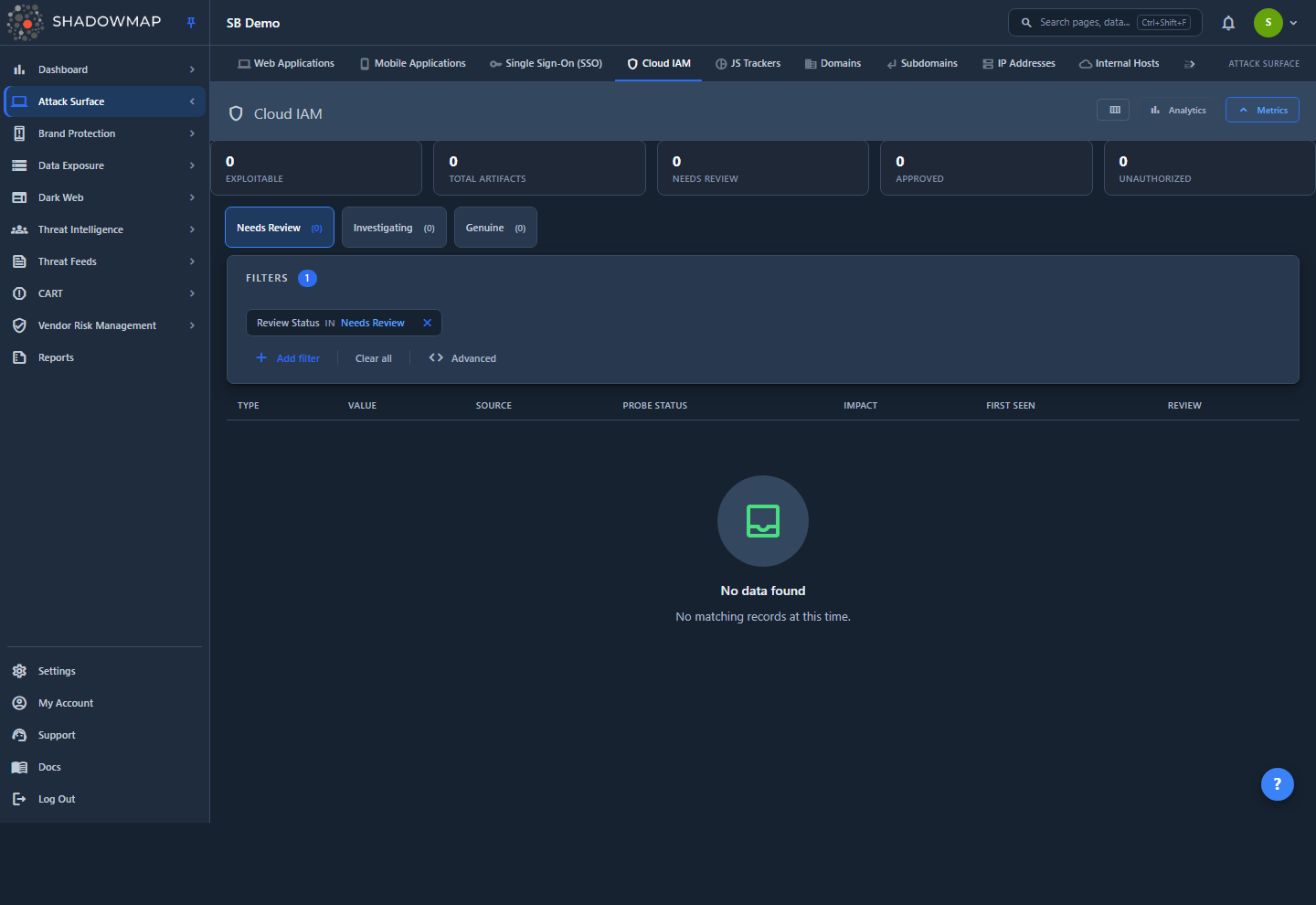
The page is a flat, paginated table — one row per discovered cloud identity artifact (a cloud_iam_artifacts record). Each row is a single primitive: one Cognito identity pool, one Firebase realtime-database URL, one embedded GCP service-account key, and so on, deduplicated to one row per artifact value per company.
At the top of the page you get:
- A metrics strip — five KPI cards (Exploitable, Total Artifacts, Needs Review, Approved, Unauthorized). Toggle it from the header.
- An analytics panel — three horizontal-bar breakdowns (By Type, By Probe Status, By Impact). Toggle it from the header.
- Status tabs — Needs Review, Investigating, Genuine — with live counts.
- A filter bar and a column customizer.
Each row shows the artifact type (with an icon), the raw value (monospace, one-click copy), the originating source asset, the live-probe verdict, an impact tier, when it was first seen, and its review status. Clicking a row opens a detail drawer with the full value, probe evidence, and the probe-history timeline, where you triage it.
This module has no AI review
Cloud IAM is a deterministic, evidence-based module. Every verdict on this page comes from a live probe against the real primitive — there is no AI scoring, no Filtered by AI tab, and no AI columns. What you see is what the prober observed.
Your view fills as artifacts are discovered
On a tenant with no discovered primitives yet, this page shows an empty state — that is expected, not an error. Rows appear automatically as ShadowMap's app scans find embedded cloud identity primitives and the prober assesses them. The behavior described below is the populated experience.
How It Works
The mechanics below aren't visible in the UI but determine what you see and how the counts and ordering are derived.
Where the data comes from
These artifacts are a byproduct of ShadowMap's application scanning, not a separate cloud-account integration. As the scanners crawl and unpack your discovered mobile and web applications, JavaScript files, and SSO login pages, they extract embedded cloud identity primitives and upsert each one as a cloud_iam_artifacts row. No cloud credentials are ever required or used — discovery works purely from what your apps expose publicly.
Because detection rides on the app scan, an artifact only exists for assets ShadowMap has already discovered. Each row records First Seen and Last Seen timestamps so you can see when a primitive entered your surface and when it was last observed.
Source attribution (why you see an app name, not a scanner name)
Internally each artifact carries the name of the connector that found it, but that internal scanner name is never shown. Instead every artifact stores a reference to the originating asset it was extracted from, and the Source column resolves that to a human-readable, clickable target:
| Originating asset | Shown as | Links to |
|---|---|---|
| Mobile application | The app's title | Mobile Applications detail |
| Web application | Web Application | Label only (no link yet) |
| SSO login page | SSO Login Page | Label only (no link yet) |
| JavaScript file | JS Tracker | Label only (no link yet) |
Today, mobile-app sources resolve to a live link into Mobile Applications; the other source types render a clean label without a link until their detail routes are wired. If the asset's name can't be resolved, the cell falls back to a readable Web Application #1234-style label — never a broken link and never the internal scanner name.
What the live probe means
After an artifact is discovered, ShadowMap's prober tests it anonymously — the way an unauthenticated attacker on the internet would — and writes back a verdict. This is the single most important axis on the page: it tells you not just that a primitive exists, but whether it is actually usable without authentication.
| Probe verdict | Badge | Meaning |
|---|---|---|
| Exploitable (red) | confirmed_unauth_with_privs | Anonymous access confirmed and it grants privileges — actively exploitable right now |
| Unauth (exists) (amber) | confirmed_unauth | The primitive is reachable/usable unauthenticated, but no privilege escalation was confirmed |
| Safe (grey) | confirmed_safe | Probed and not anonymously exploitable |
| Inconclusive (amber) | — | Probed but the result was ambiguous (e.g. restricted key, unreachable host) |
| Could Not Validate (grey) | — | The automated check couldn't complete for this artifact |
| Not Probed (muted) | — | No live validation has run yet |
The probe is a real reachability test, not a static string match — a leaked-looking value that turns out to be locked down reads Safe, and a value that grants anonymous read/write reads Exploitable.
Impact (blast radius) is a separate axis
Probe status tells you whether a primitive is reachable; Impact tells you how bad the reach is. When a probe confirms exploitability, the prober also measures the blast radius — the resources, permissions, and services the anonymous access exposes — and records an impact verdict of Critical / High / Medium / Low / None with a 0–100 score and a short list of drivers.
Impact is populated only for artifacts that were probed and produced a blast-radius result. Un-probed, dead, or reachability-only artifacts have no impact verdict, and the Impact cell shows an em dash (—) rather than a fabricated "Low". ShadowMap reads this verdict; it does not re-derive it in the UI.
Exploitable-first ordering
The list's default sort is a derived rank called exploitable-first, not a single column — so no column header shows a sort arrow at rest. It ranks rows by, in order:
- Probe verdict —
confirmed_unauth_with_privsaboveconfirmed_unauth, both above everything else - Impact score (highest first)
- Most recently probed
- A stable tie-break
The effect: the artifacts an attacker could exploit today float to the top of every tab, and a confirmed-exploitable primitive is never buried under a benign one just because the benign one happened to be scored. Clicking any sortable column header (Type, Probe Status, Impact, First Seen, Review) takes over from the default rank.
Review workflow and the triage tabs
The list groups records into three status tabs. Underneath, each record carries a review_status of needs_review, approved, or unauthorized, and the tab labels map onto those values:
| Tab | Shows records with review status | Read it as |
|---|---|---|
| Needs Review (default) | needs_review | Awaiting triage |
| Investigating | unauthorized | Flagged / under investigation |
| Genuine | approved | Vetted and accepted |
The row's Review Status column reads Needs Review, Approved, or Unauthorized, and the drawer's triage buttons read Approve, Flag Unauthorized, and Reset — so read Genuine as Approved and Investigating as flagged / Unauthorized. Switching a tab injects a review_status rule into the active filter set, so it composes with any other filter you apply.
Key Metrics
The metrics strip shows five clickable cards. Clicking a card either switches tabs or applies a filter.
| Card | Counts | Click behavior |
|---|---|---|
| Exploitable | Artifacts with a confirmed_unauth_with_privs or confirmed_unauth probe verdict | Filters the list to those probe verdicts |
| Total Artifacts | Every artifact in your inventory (all review statuses) | Opens the Needs Review tab |
| Needs Review | Artifacts awaiting triage | Opens the Needs Review tab |
| Approved | Artifacts you've marked genuine | Opens the Genuine tab |
| Unauthorized | Artifacts you've flagged | Opens the Investigating tab |
Why the Exploitable count spans every tab
Exploitability is a probe-verdict axis, not a review-state axis — a confirmed-exploitable artifact is exploitable whether or not you've triaged it. So the Exploitable card (and the exploitable-first sort) counts across all review statuses, mirroring the "Exploitable" KPI on Open Ports. The tab badges, by contrast, partition by review status.
Understanding the Data
Columns are configurable from the column customizer in the page header. Type is always shown and cannot be hidden.
| Column | Description |
|---|---|
| Type | The primitive class, with an icon — Cognito Identity Pool, Amplify Config, Firebase Realtime DB, GCP Service Account, or Azure SAS Token. Always visible. Sortable. |
| Value | The raw artifact value (pool ID, database URL, key, token), monospace, with a one-click copy button. |
| Source | The originating asset the artifact was extracted from (see Source attribution), linked where a detail route exists. |
| Probe Status | The live-probe verdict (Exploitable / Unauth (exists) / Safe / Inconclusive / Could Not Validate / Not Probed). Sortable. |
| Impact | The blast-radius tier (Critical / High / Medium / Low / None) with score, or — when there's no verdict. Sortable. |
| First Seen | When the primitive was first discovered on your surface. Sortable. |
| Review Status | Needs Review, Approved, or Unauthorized. Sortable. |
Artifact types
| Type | What it is | Why it matters when exposed |
|---|---|---|
| Cognito Identity Pool | An AWS Cognito identity-pool ID embedded in an app | Can grant unauthenticated (guest) AWS credentials if the pool allows unauthenticated identities |
| Amplify Config | An AWS Amplify client configuration block | Bundles backend endpoints, pool IDs, and API keys — a map of the app's cloud backend |
| Firebase Realtime DB | A Firebase realtime-database URL | World-readable/writable database rules expose or corrupt live data |
| GCP Service Account | A Google Cloud service-account key/JSON | A leaked service-account credential can grant real project access |
| Azure SAS Token | An Azure Shared Access Signature token | Grants scoped, time-boxed access to Azure storage — often over-permissioned or long-lived |
Filtering & Search
Switch the status tabs (Needs Review / Investigating / Genuine) for the primary triage cut, then narrow with the filter bar. The filter bar supports these fields:
| Filter | Notes |
|---|---|
| Type | The artifact class (Cognito, Amplify, Firebase, GCP, Azure) |
| Source | The originating asset |
| Probe Status | The live-probe verdict |
| Review Status | Needs Review / Approved / Unauthorized |
| Impact | The blast-radius tier |
Filter values are populated from your actual data with counts, so you only ever pick values that exist in your inventory. Filters compose with the active tab.
Detail Drawer
Click any row to open a side drawer and triage the artifact without losing your place. Step through records with the prev/next arrows (or j / k); the drawer shows an absolute n of N position across the full result set. The drawer is organized as:
- Identity — the artifact type, its live-probe badge, and its review-status badge.
- Artifact Value — the full raw value in a copyable code block.
- Context — the originating Source (linked where possible), First Seen, Last Seen, and Last Probed (or Never).
- Impact — the structured probe-evidence panel: the blast-radius verdict and its drivers, plus (when present) detected permissions, effective-allow entries, exposed resources, resource counts, and enabled/restricted services. Flat evidence renders under an Other section. Reads No probe evidence recorded yet when the artifact hasn't produced evidence.
- Lifecycle — the probe-history timeline: every probe attempt with its verdict badge, timestamp, and provider account ID. Expand any attempt to see that run's principal and evidence.
- Assignee — assign the artifact to a user or team (or leave it Unassigned).
- Review actions — Approve, Flag Unauthorized, and (once triaged) Reset.
Triage an artifact
- Open the Needs Review tab (the default) — exploitable-first ordering puts the most dangerous artifacts on top.
- Click the top row to open the drawer, and read the Impact and Lifecycle sections to confirm the probe's verdict and blast radius.
- Decide:
- Approve it (moves to Genuine) if it's a known, sanctioned primitive that's safe as configured.
- Flag Unauthorized it (moves to Investigating) if it's unsanctioned, over-permissioned, or needs remediation — then remediate in your cloud provider.
- Reset returns it to Needs Review.
- Optionally assign it to an analyst or team from the Assignee dropdown.
- Use
j/kto step to the next artifact and repeat.
Work the Exploitable count to zero first
Click the Exploitable KPI card to filter to the confirmed-unauthenticated artifacts, and clear those before anything else — they are reachable to an anonymous attacker right now. An Exploitable + Critical impact row is the single highest-priority finding on the page.
Keyboard shortcuts
j / k move to the next/previous artifact (opening the drawer), Enter opens the focused artifact, and Esc closes the drawer.
Permissions
Viewing the inventory requires the asa.cloud-iam:read permission. Triage actions — Approve, Flag Unauthorized, Reset, and Assign — require the separate asa.cloud-iam:write permission, so you can grant read-only analysts visibility into the inventory without letting them change review or assignment state. See RBAC Permissions.
Common Questions
Do you need my cloud credentials to find these? No. Every artifact here is extracted from what your applications expose publicly, and the probe tests each primitive anonymously — exactly as an unauthenticated attacker would. ShadowMap never uses or requires your AWS/GCP/Azure credentials for this module.
What's the difference between "Exploitable" and "Unauth (exists)"? Both mean the primitive is reachable without authentication. Exploitable (confirmed_unauth_with_privs) means the anonymous access also grants privileges — you can do something with it. Unauth (exists) (confirmed_unauth) means it's reachable but no privilege was confirmed. The Exploitable KPI card counts both, because both are unauthenticated exposure.
Why does an artifact have no Impact score? Impact is measured only when a probe confirms exploitability and can map the blast radius. Un-probed, safe, or reachability-only artifacts have no impact verdict, so the cell shows —. That's honest by design — the module never fabricates a severity it didn't measure.
Does Approve / Flag change anything in my cloud account? No. These are internal triage labels in ShadowMap to track which primitives you've vetted and which need work. Remediation — rotating a key, tightening Firebase rules, disabling unauthenticated Cognito identities — happens in your cloud provider.
Why is the Source an app name instead of a scanner name? Each artifact is attributed to the real asset it was extracted from (e.g. the mobile app whose bundle contained the Firebase URL), not to the internal connector that found it. Where a detail route exists — today, mobile applications — the Source is a link; otherwise it's a plain label.
Is there AI scoring on this page? No. Cloud IAM has no AI review. Every verdict is a deterministic live probe with recorded evidence — there are no AI columns and no Filtered by AI tab.
Why is the page empty? Your tenant hasn't had cloud identity primitives discovered yet, or scans haven't surfaced any. Rows appear automatically as app scans find embedded primitives and the prober assesses them.
Related
- Single Sign-On — the sibling identity module; inventories the SSO/IdP integrations your apps delegate authentication to, with the same review-tab workflow.
- Mobile Applications — the primary source of these artifacts; Source links from this page land on the mobile app whose bundle held the primitive.
- Web Applications — another source of embedded primitives, and the broader inventory of your public web surface.
- JS Trackers — the JavaScript files that are a further source of leaked client-side identity primitives.
- Leaked Credentials — the credential-leak module that shares this module's live-probe verdict language (Live / Dead / Not Verifiable).
- Open Ports — the exposure module whose "Exploitable" KPI and exploitable-first ordering this page mirrors.
- Action Center — surfaces the highest-priority Cloud IAM findings (confirmed-exploitable artifacts) alongside the rest of your triage queue.
- RBAC Permissions — the
asa.cloud-iam:read/:writesplit that separates viewing the inventory from triaging it.