
Open Databases
Open Databases is the Data Exposure surface for internet-reachable data stores — unauthenticated database services exposed on the public internet (MongoDB, Redis, CouchDB, Cassandra, and similar) and leaked database dumps circulating on public sources — attributed to your organization.
This module is a placeholder in the current release
Open Databases has a registered route and renders the standard Data Exposure page shell, but it is not listed in the sidebar and its detection backend is not enabled. Every tenant currently sees the empty state ("No open databases"), regardless of actual exposure. Until it ships, exposed database services are surfaced through Open Ports and Network Services, exposed Elasticsearch clusters through Elasticsearch Instances, and leaked database dumps through Data Breaches and Leaked Files. See Where this data lives today below. This page documents the intended module so you know what it will cover and how to track the same exposure in the meantime.
Overview
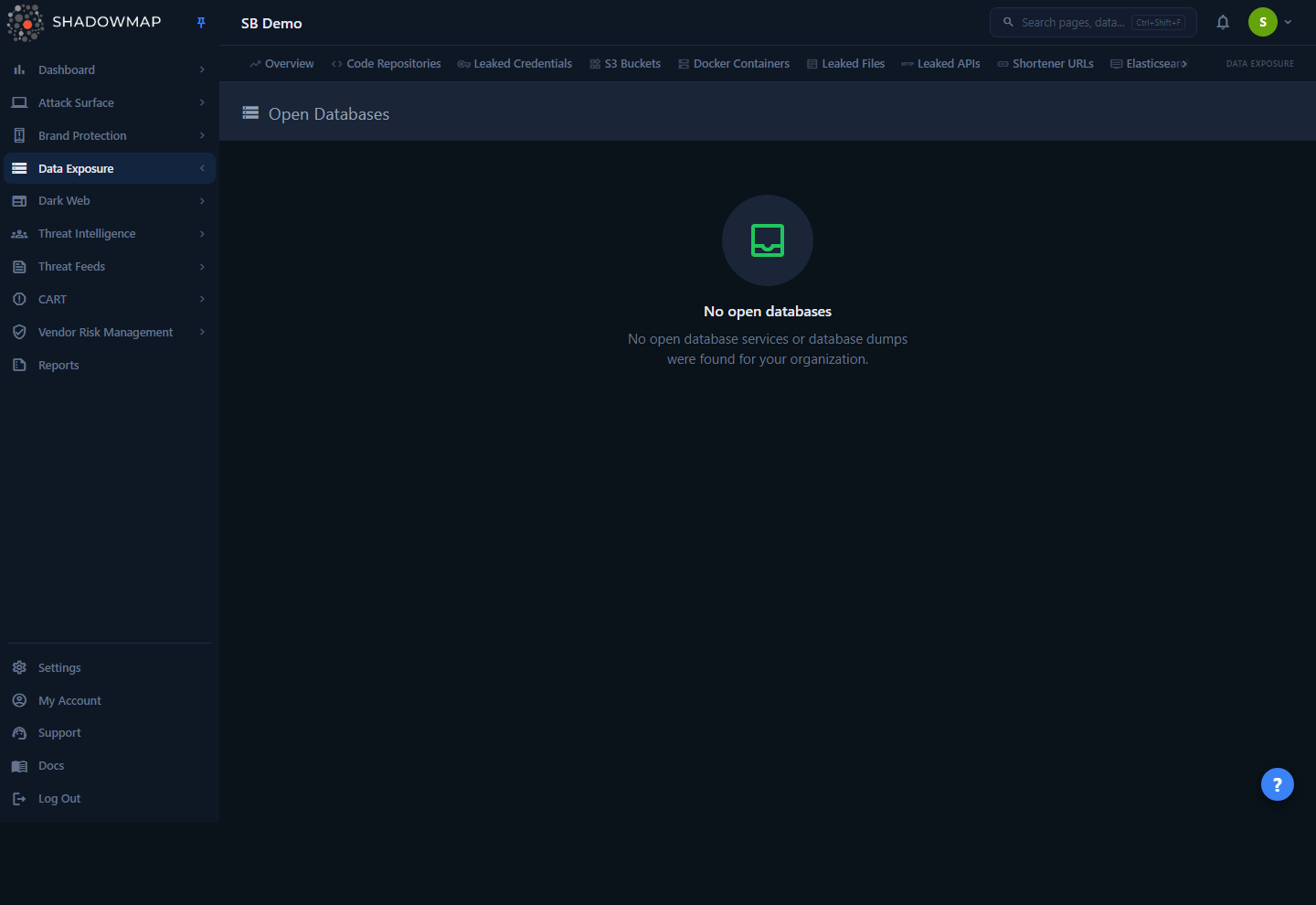
Open Databases belongs to the Data Exposure module group (labelled "Data Leaks" elsewhere in the docs), whose visible sidebar tabs are Overview, Code Repositories, Leaked Credentials, S3 Buckets, Docker Containers, Leaked Files, Leaked APIs, Shortener URLs, and Elasticsearch. Open Databases itself has no sidebar entry in the current release — its route exists but is not listed in the navigation, so it is reachable only by opening its URL directly.
The page renders a single header — Open Databases with a storage icon — and, in this release, an empty-state panel:
No open databases No open database services or database dumps were found for your organization.
That message is what every tenant sees today. It is not a confirmation that you have zero exposed databases — it reflects that this module's detection pipeline is disabled, so it has no data to display either way. Do not treat the empty state as an "all clear." Use the modules listed in the callout above to assess real database exposure.
How it works
The mechanics here are mostly about what the module is meant to do and why it currently shows nothing — neither is inferable from the UI alone.
Current state: a deliberate placeholder
The page is intentionally inert in this build:
- The Vue view holds an empty findings array and never calls an API. It always renders the
NoDataempty state. - The backend query route (
/data-leaks/open-databases/query) is commented out in the dashboard's route definitions. The matching controller method exists but is a stub — it pauses briefly and returns an empty JSON list. - Because no live request is made, there is no scan cadence, no severity assignment, and no status workflow for Open Databases yet. None of the columns, filters, or actions you see in sibling Data Exposure modules are present.
This was made an explicit placeholder during a QA hardening pass: the previous implementation called the now-disabled route, received the SPA's HTML index page instead of JSON, and threw a console error before falling through to the same empty state. The current version skips that doomed fetch and renders the empty state directly — so the page is stable and harmless, just dataless.
Not counted in the Data Leaks overview
Open Databases is part of the Data Exposure module group but is not one of the six headline sources summarized on the Data Leaks overview (Code Repositories, Leaked Files, Leaked APIs, Docker Containers, S3 Buckets, URL Shorteners). Its findings — once enabled — would not roll into the overview's Total Exposures metric, severity breakdown, or feeds unless that overview is also updated. For now there is nothing to count.
What the module is intended to detect
The empty-state copy ("open database services or database dumps") and the module's placement in Data Exposure define the intended scope. When enabled, Open Databases is meant to consolidate two distinct classes of database exposure into one worklist:
| Class | What it means | Why it matters |
|---|---|---|
| Exposed database services | A database engine reachable on the public internet, typically unauthenticated or weakly authenticated — e.g. MongoDB on 27017, Redis on 6379, CouchDB on 5984, Cassandra on 9042, Memcached on 11211. | An open, unauthenticated data store is a direct read/write path to your data. These are routinely indexed by internet-wide scanners and are a top ransomware-by-deletion target. |
| Leaked database dumps | An export of your data (SQL dumps, CSV/JSON exports, collection snapshots) found circulating on public or underground sources. | The data has already left your perimeter; the exposure is the leaked copy itself, not a live service you can firewall. |
These two classes need different responses — you firewall or authenticate an exposed service, but a leaked dump calls for breach assessment, credential rotation, and takedown — which is why a combined module would distinguish them.
Where this data lives today
Until Open Databases is enabled, the same exposure is already detectable through other ShadowMap modules. Use these as your working substitutes:
| If you want to find… | Use this module today | How it surfaces there |
|---|---|---|
| Exposed database services on your hosts | Open Ports | Listening database ports (27017, 6379, 5984, 3306, 5432, etc.) on your discovered IPs and hosts, with the service detected on each port. |
| Database service banners / fingerprints | Network Services | Identified services per host, including database engines and versions exposed to the internet. |
| Exposed Elasticsearch clusters specifically | Elasticsearch Instances | The dedicated Data Exposure module for reachable Elasticsearch clusters tied to your brand. |
| Leaked database dumps in breaches | Data Breaches | Breach corpora and leaked datasets that include your domains, mapped to affected records. |
| Leaked database exports as files | Leaked Files | Documents and data exports found on sharing/paste/analysis sites, with file-type and threat verdicts. |
Practical workflow in the meantime
For live exposure, filter Open Ports to common database ports and triage anything reachable from outside your network as a high-priority finding — an unauthenticated database service is among the most severe attack-surface exposures. For data already leaked, watch Data Breaches and Leaked Files for dumps that reference your domains.
Prerequisites
- Access to Data Exposure modules requires the Data Leaks read permission, granted through your role. Without it, the entire Data Exposure group is hidden from the sidebar. See Roles & Permissions.
- No additional configuration is needed to view this page — but because the module is a placeholder, no setup will populate it. There is nothing to onboard, connect, or scan-profile for Open Databases in this release.
Common questions
The page says "No open databases" — does that mean I have none exposed? No. The empty state reflects that this module's detection backend is disabled, not that your exposure is zero. It returns nothing for every tenant. To actually check for exposed database services, use Open Ports and Network Services; for leaked dumps, use Data Breaches and Leaked Files.
Why does the page exist if the module doesn't work yet? The route and page shell are kept in place so they stay consistent with the rest of Data Exposure and so the module can be switched on without a UI change. The module has no sidebar entry yet, so you only land here by opening the URL directly. It is a deliberate, stable placeholder — it renders the standard header and empty state and makes no failing network calls.
Will my existing Open Databases findings appear when it's enabled? There are no Open Databases findings stored against this module today — nothing is being scanned or recorded under it. When the detection pipeline ships, it will begin populating from that point. Track the Data Leaks overview and your release notes for when it goes live.
Does Open Databases count toward my Data Leaks total or Security Rating? No. It is not one of the six headline sources on the Data Leaks overview, so it does not contribute to the Total Exposures metric. With no data, it has no effect on counts or grades.
What's the difference between this and Elasticsearch Instances?Elasticsearch Instances is the dedicated, narrower module for exposed Elasticsearch clusters. Open Databases is intended to cover the broader category of exposed data stores (MongoDB, Redis, CouchDB, and similar) plus leaked database dumps. They overlap conceptually, but Elasticsearch has its own module while the rest of the database landscape is what Open Databases is meant to fill.
Related
- Open Ports — find listening database ports on your hosts; the most direct way to detect exposed database services today.
- Network Services — identified services and versions per host, including database engines reachable from the internet.
- Elasticsearch Instances — the live, dedicated module for exposed Elasticsearch clusters in the same Data Exposure group.
- Data Breaches — leaked datasets and breach corpora that may contain your database dumps.
- Leaked Files — database exports and documents found on public sharing and analysis sites.
- Data Leaks Overview — the roll-up of the six headline Data Exposure sources (which does not include Open Databases).
- Missing Assets — what to check when a module shows no data and you expected results.
- Severity Levels — how Critical/High/Medium/Low are defined across ShadowMap, for when you triage the substitute modules above.