
Automated Mitigation
Automated Mitigation lets you maintain a list of subdomains whose stealer-log credentials are auto-resolved to Mitigated — so credentials for services you have already decommissioned, migrated, or force-rotated stop consuming analyst time on every fresh dark web ingest.
Overview
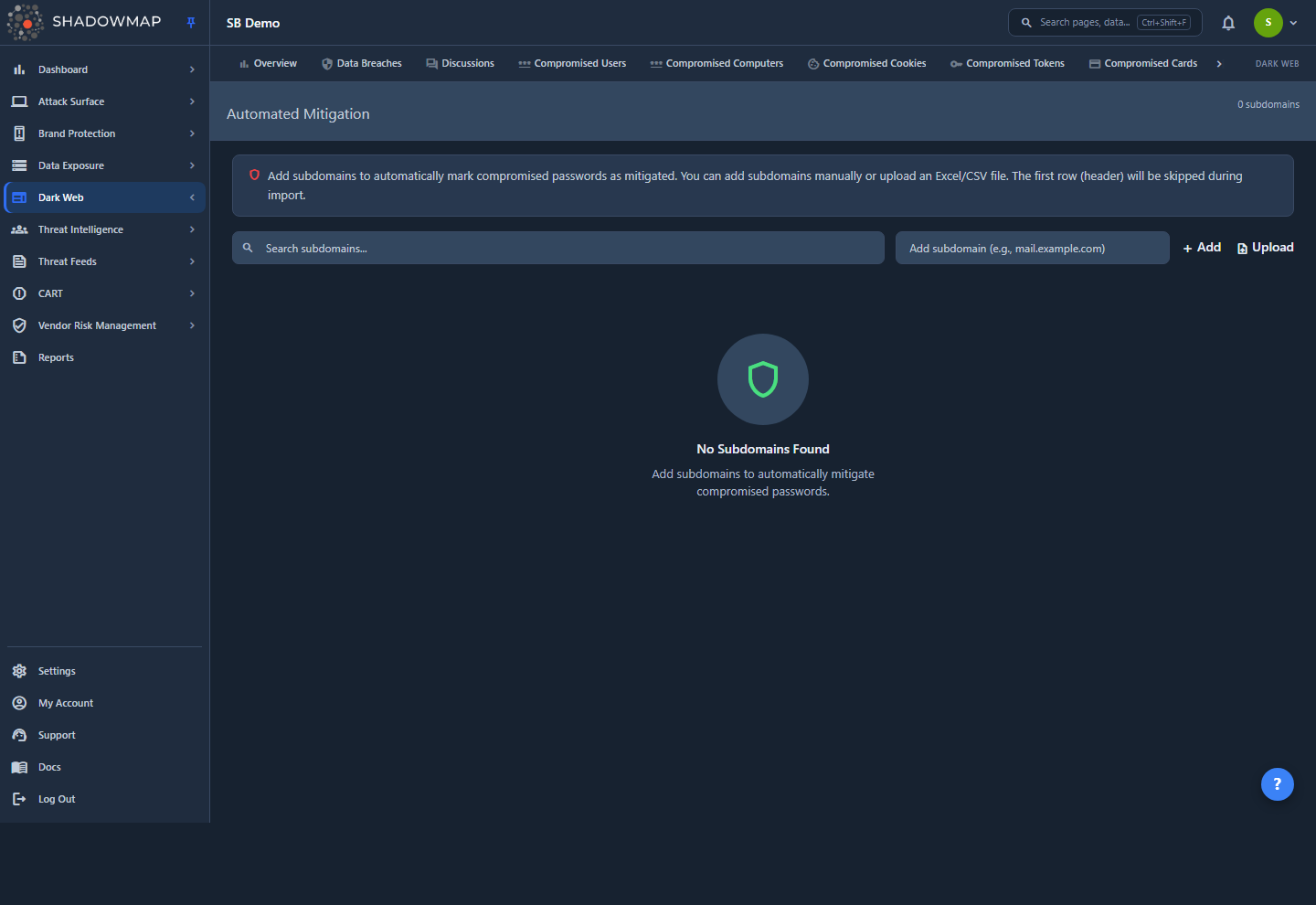
This page is a sub-view of Stealer Logs, reached at /darkweb/stealer-logs-v2/automated-mitigation. It manages one thing: a per-company list of subdomains that act as auto-resolution rules. Each subdomain you add is a rule; any compromised credential whose subdomain matches a rule is automatically marked Mitigated and kept out of the Needs Action queue.
The page shows the total rule count in the header (N subdomains), a search box, an inline Add field, an Upload button for bulk import, and a table of existing rules:
| Column | Description |
|---|---|
| Subdomain | The exact host the rule matches (for example mail.example.com). Sortable. |
| Added On | When the rule was created, shown as relative time. This is the default sort, newest first. Sortable. |
| Actions | A delete (trash) control that removes the rule after a confirmation prompt. |
Search filters the list by subdomain substring. The table loads 100 rules per page; a Load More control pulls the next page and the footer shows Showing X of N.
Where the entry point lives
The link to this page appears in the Stealer Logs toolbar only while you are on the Mitigated tab (the shield "Automated Mitigation" button). That placement is deliberate — you manage the rules right next to the credentials they resolve.
How It Works
These are mechanics you cannot infer from the table itself.
The page defines rules; a backend job applies them
Adding, uploading, or deleting a subdomain on this page only edits the rule list — it does not re-scan your credentials on the spot. The actual resolution is performed by a backend job (stealer-logs:automate-mitigation) that runs across the fleet. On each run, for each company, the job:
- Reads every subdomain rule you have defined.
- Finds compromised credentials whose subdomain exactly matches one of those rules and whose status is not already Mitigated.
- Sets those credentials to Mitigated (response status
5) and stamps their updated time.
Because the job re-runs, rules apply both retroactively (existing matching credentials already in your queue are swept to Mitigated on the next run) and on an ongoing basis (any new credential ingested later for a matching subdomain is resolved on the run after it arrives). A brand-new rule therefore takes effect on the next job run, not the instant you click Add.
Matching is exact and deterministic — there is no AI
A credential is resolved only if its subdomain string is byte-for-byte equal to one of your rules. This is a literal, whole-string match — not a suffix, wildcard, or fuzzy match, and there is no AI or machine classification anywhere in this feature. Practical consequences:
- A rule for
example.commatches credentials whose subdomain is literallyexample.com. It does not covermail.example.com,vpn.example.com, or any other subdomain — add each host you want covered. - Conversely, a rule does exactly what its text says and nothing more, so the behaviour is fully predictable and auditable.
What "Mitigated" means and how it interacts with other statuses
Mitigated is a distinct status in the Stealer Logs six-state workflow, separate from False Positive (the analyst "not a real exposure" state). Keeping them separate lets you see auto-resolved volume apart from analyst false-positive triage.
The job overwrites any non-mitigated status to Mitigated — including Needs Action, Action Taken, False Positive, Working Accounts, and Valid Users. Only credentials already at Mitigated are skipped. This is the single most important behaviour to understand before you add a rule: a matching credential is swept to Mitigated regardless of any triage state an analyst previously set on it.
A too-broad rule silently resolves genuinely dangerous credentials
Because the job re-labels every matching credential — even ones an analyst confirmed as Working Accounts or Valid Users (live, in-use logins) — a rule for a host that still serves real users will quietly sweep active, exploitable credentials out of Needs Action and hide them under Mitigated, with no alert. Scope each rule to a host you have genuinely decommissioned or fully rotated. Do not add a subdomain that still fronts a live, sensitive system (SSO portals, VPN gateways, webmail) just to reduce queue noise — those are exactly the credentials you most need to see.
Creating and Managing Rules
Add a single subdomain
- Type the exact host into the Add subdomain field (for example
mail.example.com). - Press Enter or click Add.
- The list refreshes with the new rule at the top.
The backend trims whitespace, rejects an empty value, and rejects a duplicate that already exists for your company (you will see a "Subdomain already exists" response). No new row is created in either case.
Bulk-import from a file
- Click Upload and choose an
.xlsx,.xls, or.csvfile. - Put one subdomain per row in the first column. The first row is treated as a header and skipped on import.
- ShadowMap validates the first several data rows as real domains before importing; if a cell in that range is not a valid subdomain, the whole upload is rejected with the offending row number so you can fix the file.
- Valid rows are inserted; blanks and any subdomain that already exists are skipped. The response reports how many were added and how many were skipped.
Only .xlsx, .xls, and .csv files are accepted; any other extension is rejected.
Delete a rule
Click the trash control on a row and confirm. Deleting a rule stops it from resolving future credentials, but does not reverse credentials it has already mitigated — those remain at Mitigated until an analyst changes their status manually in Stealer Logs.
Auditing What a Rule Did
Because the mitigation job only records the resulting status on the credential (not a per-rule log), you audit a rule's effect from the credential side:
- Open Stealer Logs and switch to the Mitigated status tab.
- Apply the Subdomain filter for the host in question.
- The credentials listed are exactly the ones that rule (or a manual action) resolved. Their added-on and updated dates let you separate a bulk retroactive sweep from later ongoing hits.
The rule list on this page also records each subdomain's Added On date, so you can correlate when a rule started resolving credentials with when matching entries appeared under the Mitigated tab.
Common Questions
Does adding a subdomain immediately clear matching credentials from Needs Action? Not instantly. The page saves the rule; a backend job applies it on its next run, at which point existing matching credentials move to Mitigated and future ones are resolved as they arrive.
Will a rule for example.com also cover mail.example.com? No. Matching is exact and whole-string, not by parent domain or wildcard. Add each subdomain you want covered as its own rule.
Can a rule resolve a credential an analyst already marked Working Accounts or Valid Users? Yes — and this is the key risk. The job overwrites any non-mitigated status, including those confirmed-live states, to Mitigated. Only add subdomains for systems you have genuinely decommissioned or fully rotated. See the caution above.
If I delete a rule, do the credentials it resolved come back to Needs Action? No. Deletion only stops future auto-resolution. Credentials already set to Mitigated stay there until you change their status manually in Stealer Logs.
Is there any AI or fuzzy matching deciding what gets mitigated? No. Automated Mitigation is a deterministic exact-match rule engine. A credential is resolved only when its subdomain is byte-for-byte one of your rules — nothing is inferred.
How do I see everything a specific rule has mitigated? Go to Stealer Logs, open the Mitigated tab, and filter by that subdomain. The resulting rows are the credentials resolved for that host.
Related
- Stealer Logs — the parent module; rules here feed its Mitigated status and keep the Needs Action queue focused.
- Compromised Computers — the device-centric view of the same infections; mitigating a credential does not clear its underlying infected host.
- Status Workflow — how Mitigated fits alongside the other credential states and status transitions.
- Dark Web Overview — where stealer logs and their mitigation rules sit within the broader dark web module.